

AI analyst agents
Supaboard positions its analyst agents as a way to ask questions in natural language and get business answers back from connected data.

Supaboard is an AI business intelligence platform for connected data, natural-language questions, and SQL-assisted dashboards and insights.
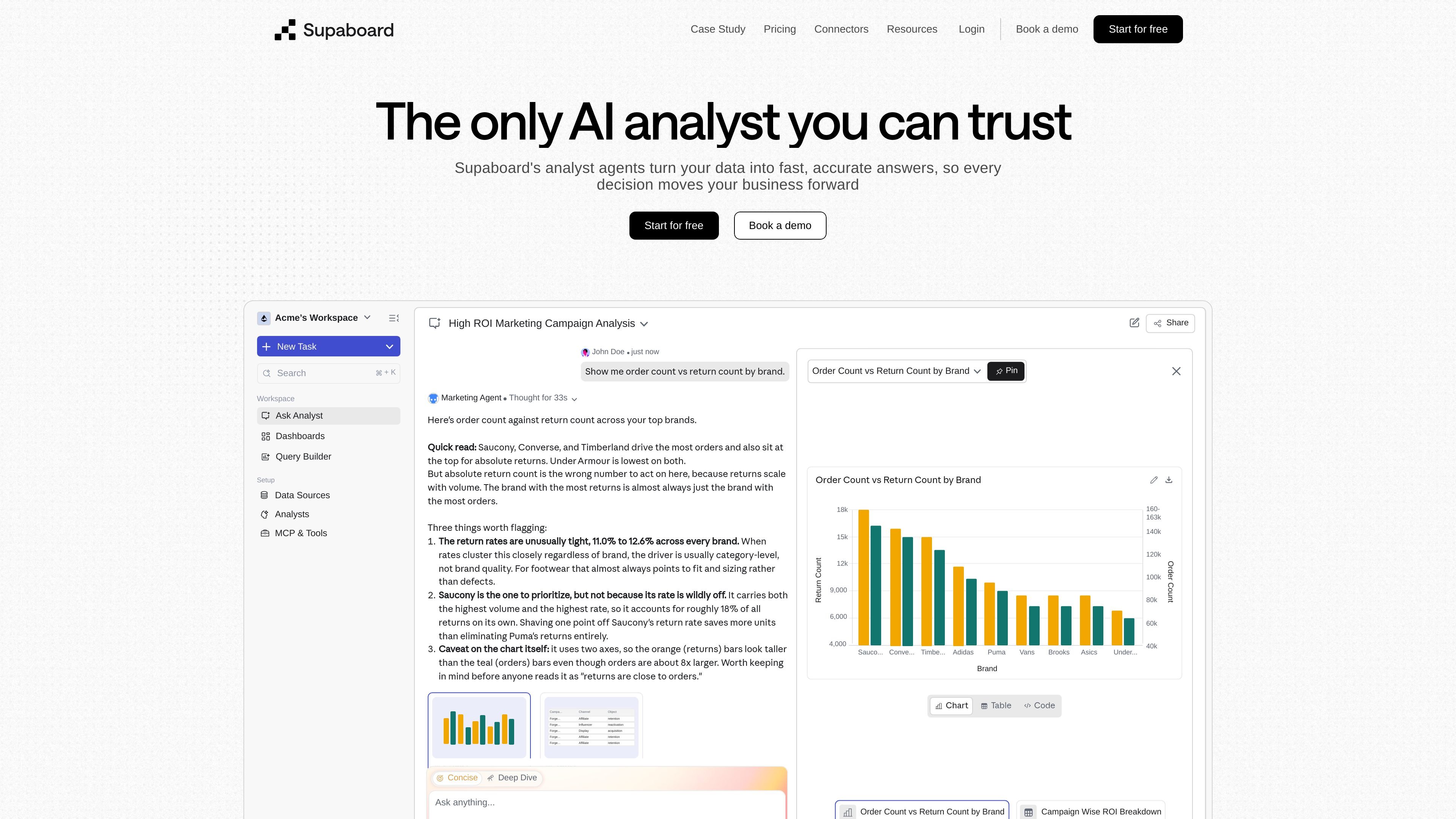
Supaboard is an AI business intelligence platform that helps teams analyze connected data, ask questions in natural language, and create dashboards and reports without starting from scratch each time. The site frames it as an AI analyst for businesses that want faster answers from data.
The product combines analyst agents, dashboard building, and an AI-assisted query builder. In the examples shown on the site, users can explore campaign performance, returns, customer acquisition, and other business questions through prompts, charts, tables, and SQL-assisted workflows.
Pricing is organized into Individual, Business, and Enterprise plans. The plans differ by the number of agents, integrations, collaboration features, and support level, with Enterprise offered as a custom option with a demo flow.
Supaboard positions its analyst agents as a way to ask questions in natural language and get business answers back from connected data.
The platform supports dashboard creation from a single prompt, with widgets for marketing, returns, funnels, and campaign performance shown on the product pages.
A query builder with AI assistance can generate, fix, and visualize SQL queries, which is useful for users who still work directly with SQL.
Pricing and product pages show support for dashboards, reports, visual exploration, and drill-down, giving teams multiple ways to inspect the same data.
The integrations page shows connectors across data, analytics, finance, operations, marketing, engineering, product, people, and HR categories.
Plan details include automation, scheduled deliveries or runs, alerting, and team collaboration features such as Slack and Teams integration.
Marketing and growth teams can use prompt-based dashboards to review campaign spend, acquisition, revenue, and return-related metrics in one place.
Operations or finance users can ask questions in plain language and inspect trends, counts, and breakdowns without building every report manually.
Analysts who still work in SQL can use the query builder to generate, edit, and visualize queries while keeping control over the underlying logic.
Leadership and cross-functional teams can share dashboards, use Slack or Teams integrations, and rely on scheduled runs or alerts for recurring reporting.
Organizations with multiple systems can connect business apps, databases, warehouses, and productivity tools to create a broader view of their data.
Supaboard is an AI business intelligence platform that connects to data sources, lets users ask questions in natural language, and generates dashboards and analytics outputs from those queries.
The pricing page shows Individual, Business, and Enterprise plans. Individual and Business are priced per user per month, while Enterprise is custom and requires booking a demo.
The pricing page lists support for SQL data sources, business apps, warehouses, Slack and Teams integrations, query builders, automated scheduling, and security features that vary by plan.
Supaboard presents analytics workflows such as asking analysts questions, building dashboards from prompts, and generating or fixing SQL queries with an AI query assistant.
The source does not provide a complete public list of every supported connector on the home page, so the exact integration set may depend on plan and use case.

北极九章 is an enterprise AI data insight engine for natural-language data analysis. Ask by typing or voice and get charted results in workflows.
Tableau is a business intelligence and visual analytics platform that helps people explore data, create visualizations, and share insights. It offers hosted, self-managed, and desktop options for teams that need analytics, governance, and collaboration.

Hurree is an AI-powered reporting and analytics platform that centralizes company data, shared dashboards, and Riva summaries, recommendations, and forecasts.

Postfity is a social media management tool for scheduling, planning, publishing, and tracking posts across connected accounts. Includes analytics, inbox management, AI tools, team workflows, and Free and paid plans.

AnyClip is a visual intelligence platform for video that automates enrichment, improves discovery, and supports engagement and monetization.

Arcwise is an AI product for detecting meaningful metric changes and explaining them with data-grounded analysis. It turns warehouse and business-context data into decision-ready reports in app, docs, or slides.