

Text to manga generation
Turn scene descriptions into manga-style pages with Japanese reading flow, panel sequencing, and editable dialogue layers.

Anifusion is a browser-based AI manga and comic creation platform that turns text prompts into sequential pages with layouts, speech bubbles, and character consistency tools.
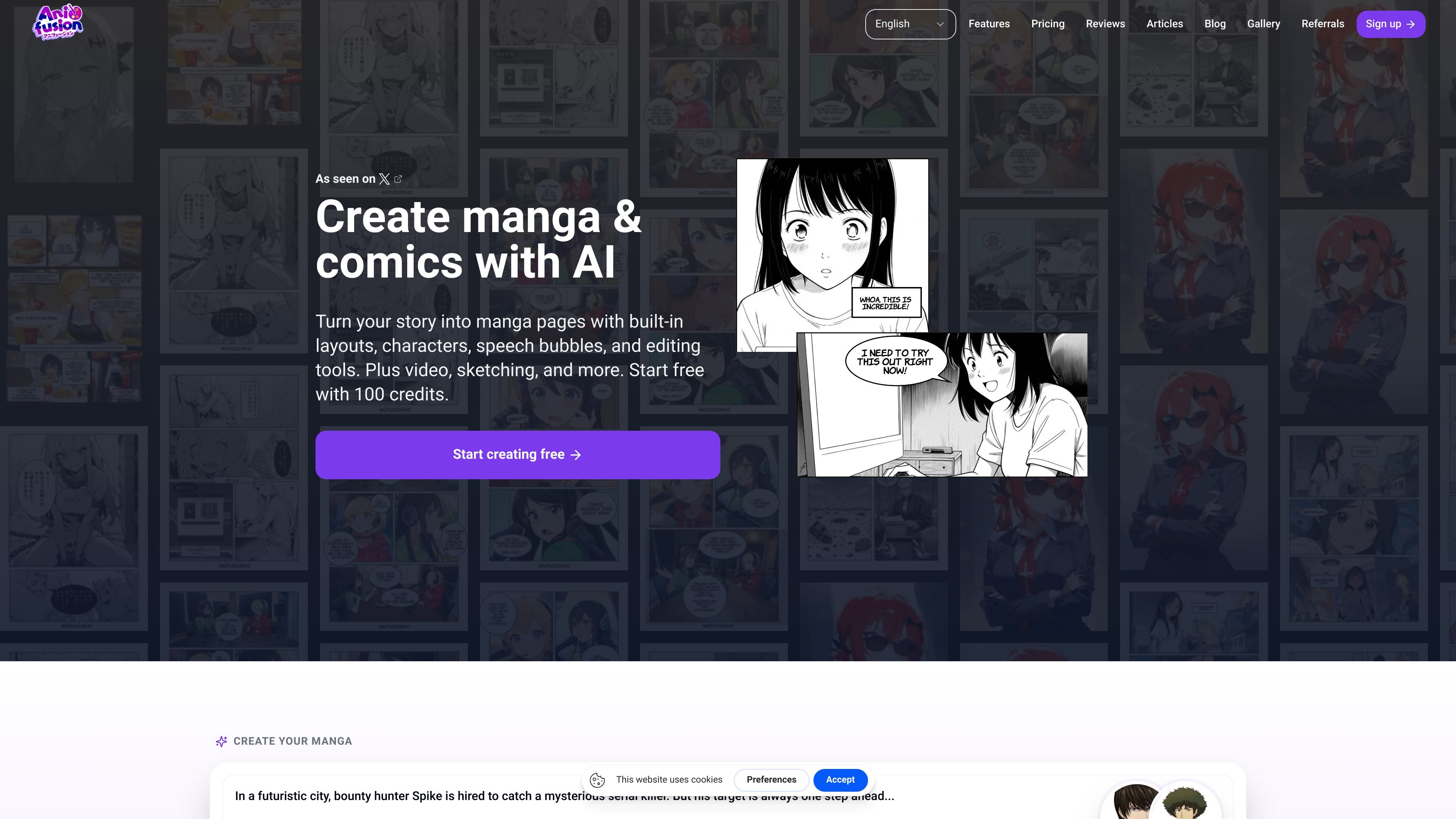
Anifusion is an AI manga and comic creation platform that turns text prompts and scene descriptions into sequential visual stories. The product focuses on manga-style page layouts, panel generation, character consistency, speech bubbles, and built-in editing tools.
The site presents Anifusion as a browser-based studio for writers, indie creators, studios, educators, and teams that want to produce manga pages, webcomics, character sheets, anime art, and video from one workspace. Paid plans include commercial usage rights, while new accounts can start with free credits.
Turn scene descriptions into manga-style pages with Japanese reading flow, panel sequencing, and editable dialogue layers.
Start from manga page templates or custom grids, then refine panels and reading order in the built-in editor.
Keep characters stable across panels and chapters with character sheets and LoRA training for custom models.
Add and edit speech bubbles, lettering, and manga fonts directly in the browser canvas.
Work in a browser-based comics workspace with canvas editing, generation tools, and no local GPU setup mentioned.
Export print-ready pages and chapter files, with PNG and PDF formats mentioned for manga output.
Draft manga chapters from scripts or scene notes, then refine panel order, dialogue, and page flow before continuing a series.
Build left-to-right comics or scroll webcomics with Western pacing, speech balloons, and panel grids suited to superhero, indie, or slice-of-life stories.
Generate sample chapters, covers, and test pages for Amazon KDP, Gumroad, or other self-publishing experiments.
Create character sheets, turnarounds, and reference images that preserve faces, hair, outfits, and expressions across multiple scenes.
Use the browser editor to storyboard pitches, teach visual storytelling, or explore manga layouts without a local GPU or advanced drawing setup.
Yes. New accounts receive 100 free credits to try the AI manga generator in the browser, and no credit card is required.
Anifusion’s AI manga generator is built for sequential manga pages rather than single image wallpapers. It supports panel layouts, speech bubbles, character consistency, and canvas editing in a browser workflow.
Paid plans include commercial usage rights for work created on the platform.
The source describes built-in manga-style bubbles and vertical text options, with further placement refinement in the canvas editor after generation.
The site positions the product as a browser-based workflow for writers, indie creators, studios, and educators, so teams can work without local GPU setup or drawing skills.

Image to Cartoon is a free AI cartoonizer that turns photos into cartoon, anime, comic, or 3D-style images in the browser, no sign up required.

Manga Translator is an AI browser extension for Chrome and Edge that translates manga, manhwa, manhua, comics and webtoons into 100+ languages as you read online.

a1.art is an AI image and video generator for browsing and running reusable filters to create stylized results from existing images or prompts.

Moescape is an AI creative platform for anime fans, combining image, video, music, voice, and character chat tools in one place.
PixToArt is a web-based AI image and video generator for text-to-image, image-to-image, text-to-video, and image-to-video workflows with templates and style presets.

Neural Canvas is a web app that creates personalized comic book PDFs from your character, setting, story, and style inputs, with email delivery and a comic library.