

Infinite canvas plus timeline
Start on an infinite canvas, then move into a timeline-based edit without losing the spatial context of your scenes and assets.

Diffusion Studio is a browser-based video editor with an infinite canvas, timeline editing, AI workflows, 4K export, and a free plan with unlimited projects, no watermark, and commercial use.
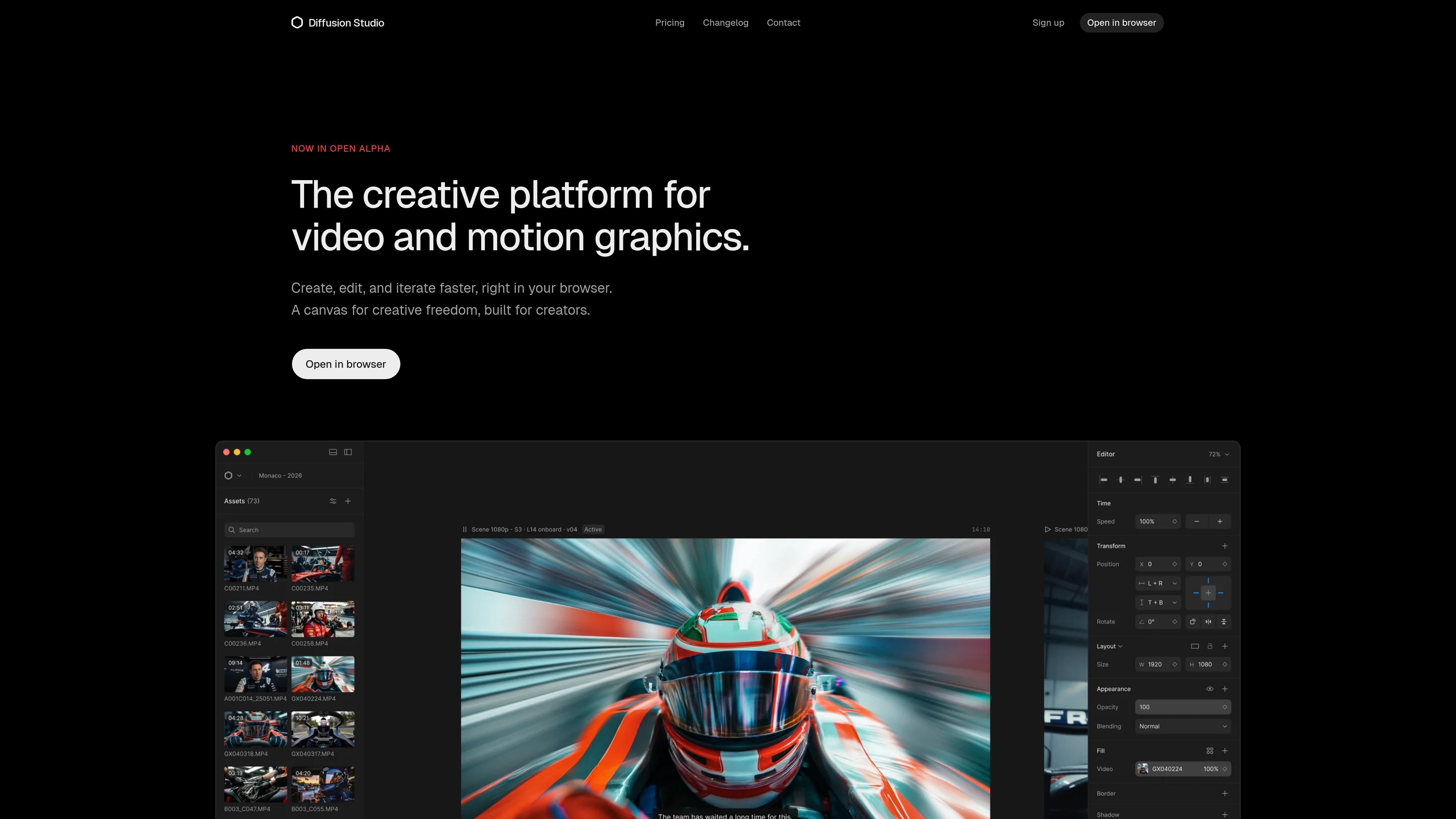
Diffusion Studio is a browser-based video editor and creative suite built around an infinite canvas and a multi-track timeline. It is positioned for creators and professionals who want to compose scenes visually, refine edits with timeline controls, and export in one workspace.
The product frames itself as a design-tool-like editing environment for video and motion graphics. Its core workflow combines canvas-based arrangement, inspector-driven adjustments, built-in effects and audio, AI-powered tools, and 4K export, with a macOS app listed as coming soon.
Start on an infinite canvas, then move into a timeline-based edit without losing the spatial context of your scenes and assets.
Use a single inspector to adjust timing, position, scale, and layout with fine-grained control over each element.
Stack visual effects, mix audio, and apply filters inside the editor instead of moving between separate tools.
Shape motion with Bezier curves, spring easing, and motion presets for more controlled animation work.
Work in the browser with responsive canvas interaction for panning, zooming, and scrubbing.
Export up to 4K with no proxies, according to the home page messaging about playback and export.
Draft scenes on the canvas, arrange assets visually, and then move to the timeline to refine pacing, transitions, and final sequence order.
Build motion graphics with timing, easing, and property controls that support detailed animation and layout work.
Use AI features inside the editor for generation, smart actions, and context-aware assistance while keeping manual control over the result.
Create and export finished work directly in the browser without installing desktop software, which suits fast turnaround or shared devices.
Handle client or commercial work on the free or paid plans, with 4K export and no watermark available on the free tier.
Diffusion Studio runs in the browser, so you can start without installing desktop software or plugins. A macOS app is listed as coming soon.
The product description says it combines an infinite canvas with a multi-track timeline, so you can compose visually on the canvas and then refine the edit on the timeline in the same workspace.
Yes. The FAQ states that the free plan includes unlimited projects, unlimited 4K exports, no watermark, and 50 one-time trial AI credits, while Pro adds more AI credits and advanced models.
Yes. The FAQ states that commercial use is allowed on all plans, including Free.
The pricing page says Enterprise is coming soon and includes team workspace, cloud backup for projects and media, SSO and advanced security, and dedicated support.

Rizzle turns articles into editorial-grade video and distributes it across major channels with AI-assisted, human-reviewed workflows for publishers.

AnyClip is a visual intelligence platform for video that automates enrichment, improves discovery, and supports engagement and monetization.

Upsampler is an AI platform for creating, editing and upscaling images and videos in one workspace. Pay per credit, full API access, commercial use included.

HiringPartner.ai is an autonomous AI recruiting platform for sourcing, screening, and interviewing candidates 24/7. It supports ATS-connected workflows, bulk resume uploads, and reviewable interview outputs for hiring teams.

CoCoClip.AI is a web-based AI video editor for short-form content, with text-to-video, image-to-video, and audio-to-video workflows for YouTube Shorts, TikTok, and Instagram Reels.

Podfy.ai is a browser-based AI video tool that turns text, scripts, audio, and music into edited videos with narration, subtitles, effects, and soundtrack for faster short-form social content.