

Text, Image, and Video Inputs
Create videos from text prompts, uploaded images, or existing clips, with output intended for professional-looking results.

GoEnhance AI is an AI video platform for creating and transforming videos from text, images, or clips, with image tools and free and paid plans.
GoEnhance AI is an AI video platform for creating and transforming content from text, images, or existing video. The site presents it as an all-in-one workspace for generating new clips, restyling footage, and producing related image assets from the same account.
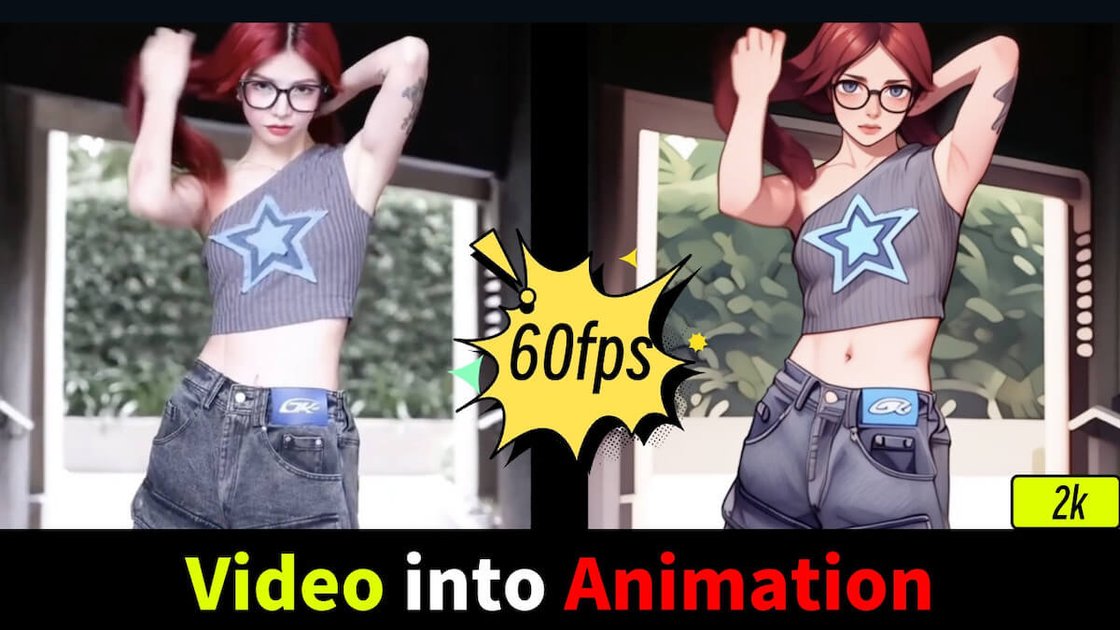
Its product surface covers AI video generation, video-to-video style transfer, video-to-animation conversion, image generation, image editing, and several specialized tools such as talking avatars, lipsync, face swap, and character animation. Pricing information shows a free tier with tokens and paid plans with expanded usage and faster generation.
Create videos from text prompts, uploaded images, or existing clips, with output intended for professional-looking results.
Convert live-action footage into anime, Pixar-inspired, claymation, flat animation, stylized 3D, and other looks, with a stated focus on motion stability and frame consistency.
Generate AI video in different styles and workflows, including consistent character videos, talking avatars, face swap, lipsync, ASMR video, and video upscaling.
Create images from text or image inputs, then edit, enhance, upscale, and swap faces in photos using separate image tools.
Work with a broad model catalog that includes GoEnhance, Kling, Runway, Hailuo, Luma, Vidu, Hunyuan, Midjourney Video, Veo 3, Sora 2, and image models such as Flux.1 and Ideogram.
Turn a text prompt or source image into a video when you need a fast starting point for social posts, ads, or concept clips.
Restyle existing footage into anime, Pixar-like, claymation, or other animated looks while keeping motion readable.
Create characters, avatars, lipsynced clips, or face-swap videos for short-form content and character-led storytelling.
Use the image generator and image tools to create, edit, upscale, or swap faces in photos as part of a broader content workflow.
Use the model selection and specialized tools to compare outputs and choose the workflow that best fits a specific visual style or generation task.
GoEnhance AI is presented as an all-in-one AI video platform for creating and transforming videos from text, images, or existing clips. It also includes image generation and image-editing tools.
Yes. The site says GoEnhance AI is accessible on PC and mobile devices, and the video-to-animation page says it works in a modern browser on a computer, tablet, or smartphone.
The pricing page states that GoEnhance AI offers a free tier with tokens, while paid subscriptions add more tokens, faster generation, more concurrent jobs, and premium features.
The site says users retain rights to their creations. Commercial use is allowed on the Standard, Pro, and Mega plans, while free users and Basic plan subscribers are limited to personal use.
The video-to-animation page says uploaded videos can be up to 60 seconds long at one time, and longer videos can be split into segments and processed separately.

Nim Video is a web-based AI video and image creation platform for turning prompts, images, and source footage into editable visuals. It offers a free tier and paid subscriptions with added credits, higher output options, and commercial-use features.

HiDream.ai is a free, browser-based AI image and video creation platform for prompts, images, audio, lip-sync, and 4K editing.

Pika is an AI video generation platform for creating and editing short videos from prompts, images, and existing footage. It also offers plan-based commercial use, watermark-free downloads on higher tiers, and select partner API access.

Upsampler is an AI platform for creating, editing and upscaling images and videos in one workspace. Pay per credit, full API access, commercial use included.

PixelPrompt is a browser-based AI image and video workspace for prompt optimization, text-to-image, and text-to-video generation. It supports ecommerce visuals, ad creatives, and short-form UGC-style content without requiring a local GPU.

CoCoClip.AI is a web-based AI video editor for short-form content, with text-to-video, image-to-video, and audio-to-video workflows for YouTube Shorts, TikTok, and Instagram Reels.