

Structured setup from a brief
A short init flow captures audience, brand or product lane, voice, and anti-references, then writes `PRODUCT.md`; it can also offer a `DESIGN.md` when code is available to scan.

Impeccable is a design skill for AI coding tools that streamlines frontend workflows with structured setup, command-based editing, and live browser iteration.
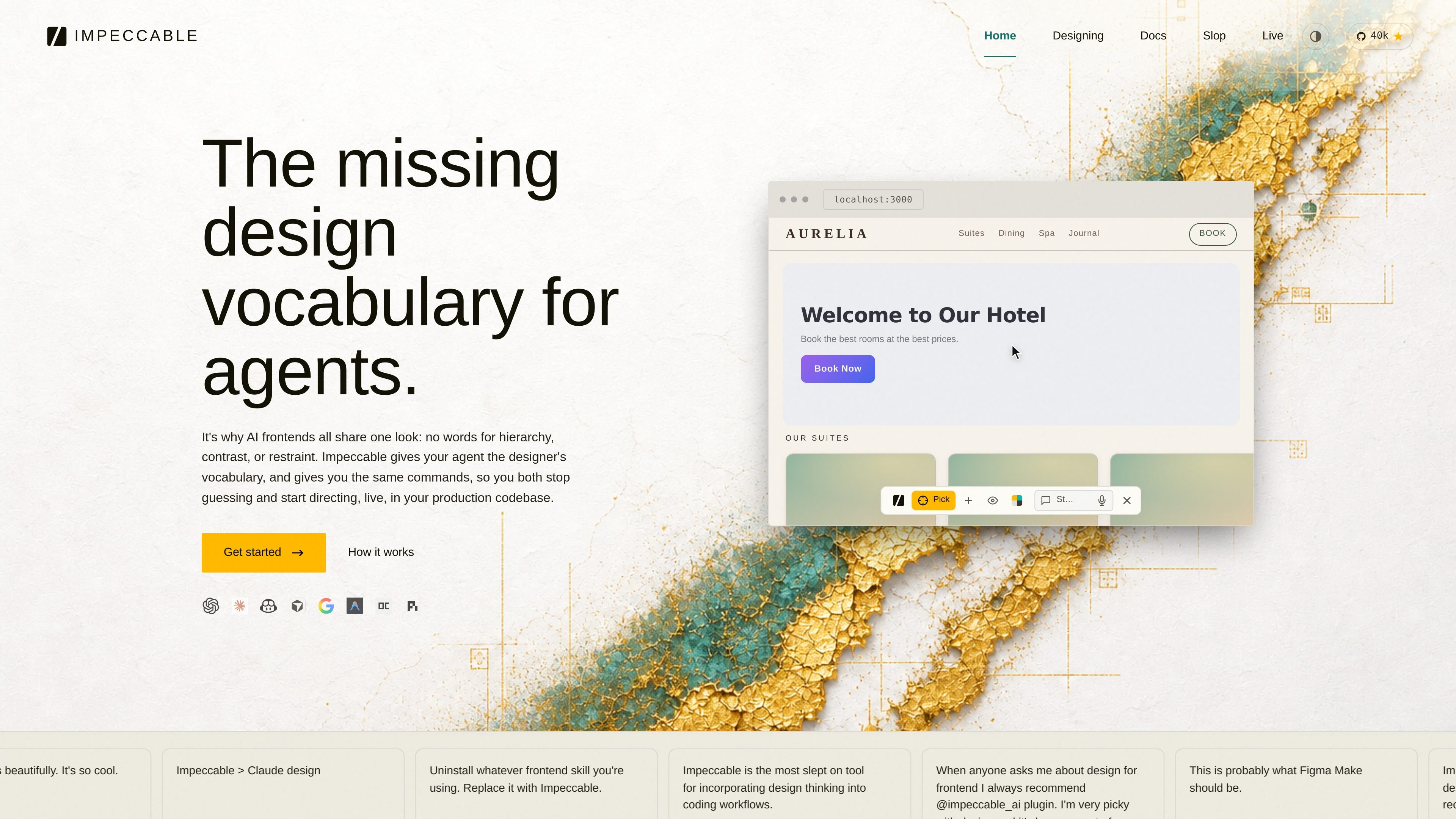
Impeccable is a design skill for AI coding harnesses. It is positioned for frontend design work and is described as working with Cursor, Claude Code, GitHub Copilot, Gemini CLI, and Codex CLI.
The product combines a setup prompt, a library of commands, curated anti-patterns, and a live browser workflow. The site frames it as a way to move from blank file to designed feature, then through polish and maintenance without relying on abstract prompts alone.
A short init flow captures audience, brand or product lane, voice, and anti-references, then writes `PRODUCT.md`; it can also offer a `DESIGN.md` when code is available to scan.
The core loop is split into start, iterate, polish, and maintain, so the skill can be used at different stages of a design workflow rather than only at first draft.
Named commands apply specific disciplines such as typography, layout, color, motion, and copy, which makes the tool suitable when you already know what needs fixing.
The `/impeccable live` flow adds a picker on a running dev server so you can point at an element, draw or type a change, and write variants back to source.
The docs describe scoring and review steps for accessibility, performance, theming, responsive behavior, and anti-patterns before ship.
The source references curated anti-patterns and “desloppification,” meaning the system is meant to strip common AI design defaults out of type, motion, and copy.
Start from a brief, capture voice and anti-references, and generate a design direction that is specific enough for the rest of the workflow to follow.
Refine a feature in place by using named commands for typography, layout, color, motion, or copy instead of rewriting the whole prompt.
Open `/impeccable live` on a running dev server to inspect an element, draw or type the change you want, and accept one of the generated variants back into source.
Run the audit, clarify, and harden steps before shipping to catch accessibility, performance, theming, responsive, and anti-pattern issues.
Use the maintain loop to identify repeated patterns and turn them into tokens or primitives before design debt becomes harder to unwind.
Impeccable is designed to work with Cursor, Claude Code, GitHub Copilot, Gemini CLI, and Codex CLI. The docs also show it can be used in-browser through a live mode that points at a running dev server.
The source describes an init step that asks about audience, brand or product lane, voice, and anti-references, then writes `PRODUCT.md` and optionally `DESIGN.md`. Later commands read those files before generating output.
The workflow is organized around start, iterate, polish, and maintain. It supports blank-slate work, in-place refinement, pre-ship auditing, and ongoing design debt cleanup.
Impeccable can generate design direction, implement a page, and support browser-based iteration. The docs mention live builds that produce semantic markup, assets, responsive fixes, navigation state, and browser-verified polish.
The site does not spell out team features, account controls, or permissioning. The available evidence mainly covers individual and local workflow usage across supported AI harnesses.

Paper is a design tool that connects canvas, code, and AI agents so teams can create, share, and ship work in one workflow. Includes desktop app and MCP access.

Prompt Genie is a prompt management and optimization tool for AI workflows, plus Claude Code memory to reduce repeat reads and token spend.

Orca is an Agent Development Environment for shipping with coding agents, running multiple CLI agents in parallel across isolated worktrees, with desktop and mobile workflows.

Firebase Studio is a web-based workspace for full-stack app development with Gemini-assisted coding, app previews, cloud emulators, collaboration, and browser deployment.

EZsite AI is an AI website builder that turns a URL into a fullstack React or Vue.js app with hosting, custom domains, code export, and backend features.

AI Magicx is a unified AI workspace for chat, image, video, voice, music, email and developer tasks, helping teams and creators manage multiple models in one place.