


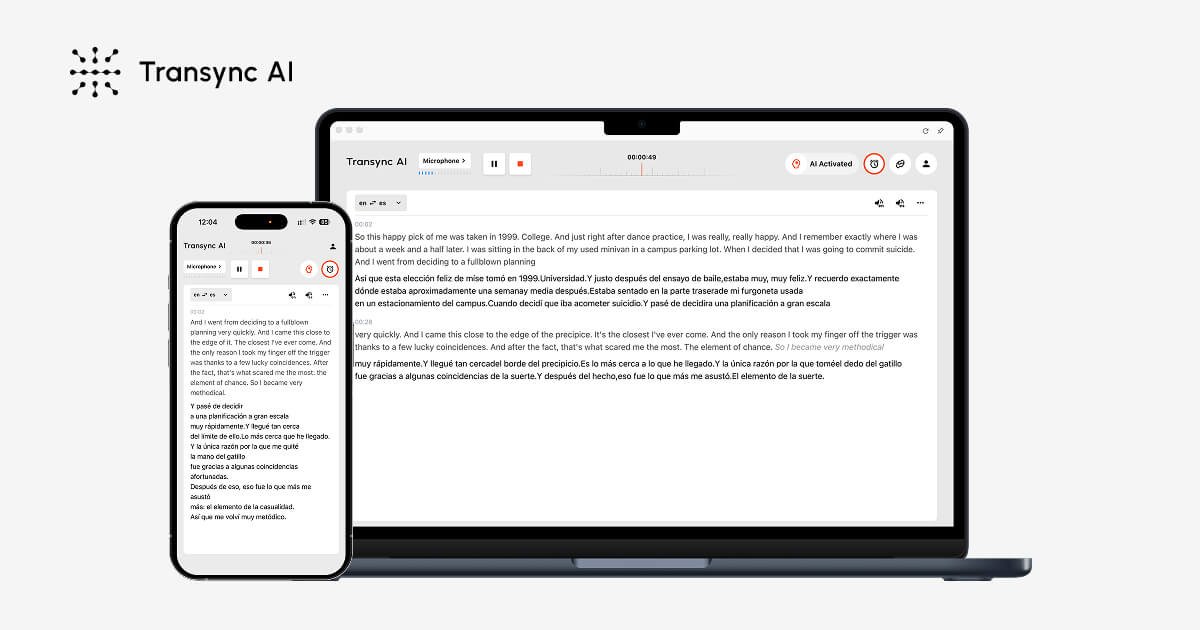
Real-time two-way interpretation
Translates live speech into bilingual subtitles with low latency and automatic language detection, so participants can follow both sides of a conversation as it happens.
Transync AI is a real-time AI translation product for multilingual meetings and conversations. It converts speech into bilingual subtitles and translated voice output, with support for live interpretation across meetings, classes, calls, travel, and face-to-face communication.
The product is presented as cross-platform software for macOS, Windows, iOS, Android, and the web. Source pages describe it as working with Zoom, Microsoft Teams, Google Meet, WhatsApp calls, and browser-based workflows, with a free entry tier and paid plans for heavier use.
Translates live speech into bilingual subtitles with low latency and automatic language detection, so participants can follow both sides of a conversation as it happens.
Reads translated content aloud with natural male and female voices, streaming voice output, and voice clone support for workflows where spoken translation is needed.
Works with Zoom, Microsoft Teams, Google Meet, WhatsApp calls, and in-person meetings without requiring a meeting bot or browser extension.
Captures multilingual conversations, generates bilingual meeting notes, and includes AI summaries, action items, and key decisions.
Uses professional keywords and context to improve translation accuracy in specialized conversations and business settings.
Keeps subtitles visible in a floating window or picture-in-picture view with always-on-top display and adjustable sizing and position.
Run multilingual team meetings with live subtitles and translated speech so participants can follow the discussion without separate interpreting tools.
Support client calls, sales conversations, and cross-border collaboration where quick back-and-forth translation matters more than formal interpretation.
Use the product in classes, webinars, and training sessions when attendees need to read and hear translated content during the session.
Handle travel, in-person meetings, exhibitions, and restaurant or transport interactions where fast translation is needed outside a conference app.
Capture meeting notes, bilingual transcripts, and key decisions for later review when the conversation is multilingual and needs a written record.
Transync AI is designed to work in meetings, calls, classes, demos, and in-person conversations. The source pages describe it as supporting multilingual communication with bilingual subtitles, voice playback, meeting notes, and virtual microphone output.
The source pages say it works with Zoom, Microsoft Teams, Google Meet, WhatsApp calls, and browser-based meetings. It also supports desktop, mobile, and web workflows on macOS, Windows, iOS, and Android.
The pricing page lists a free plan with 40 minutes of real-time translation on sign-up, plus paid Personal Premium and Enterprise plans. The source also says usage can be billed through monthly membership and, for enterprises, pay-as-you-go after included hours are exhausted.
Transync AI provides real-time translation, bilingual subtitles, translated voice playback, AI meeting minutes, and context-aware translation using professional keywords and context. The source also mentions voice clone and floating subtitle views.
The source states that customer data is processed to provide the translation service and is not used for AI training by default. It also says audio is immediately deleted after processing and that voice recordings are not stored for training.

Subtitle Translate AI 是一款基于浏览器的字幕翻译工具,支持 SRT 及相关媒体文件,可将字幕翻译为 100+ 种语言,同时保留时间轴、格式与上下文。

讯飞会议是科大讯飞旗下云视频会议协作平台,支持视频会议、AI转写翻译和自动生成会议记录,适合企业协作、远程办公与多方会议,支持多端接入及公有云、私有云部署。

Podfy.ai 是一款基于浏览器的 AI 视频工具,可将文本、脚本、音频和音乐快速生成带配音、字幕、特效和配乐的成片,适合创作者更快制作短视频内容,无需手动剪辑。
Immersive Translate 是一款双语 AI 翻译工具和浏览器扩展,可用于网站、PDF、字幕、会议、图片和漫画翻译。支持主流浏览器与多设备,提供上下文感知翻译和注重隐私的内容处理。

Checksub 是一款面向视频的 AI 字幕生成与配音平台,支持字幕翻译、语音克隆和口型同步,帮助创作者和团队高效本地化内容。

Altered is an AI voice changer and voice content creation platform for media production and live voice use. It combines voice morphing, text-to-speech, transcription, translation, cloning, and editing in one application.