


Two enhancement modes
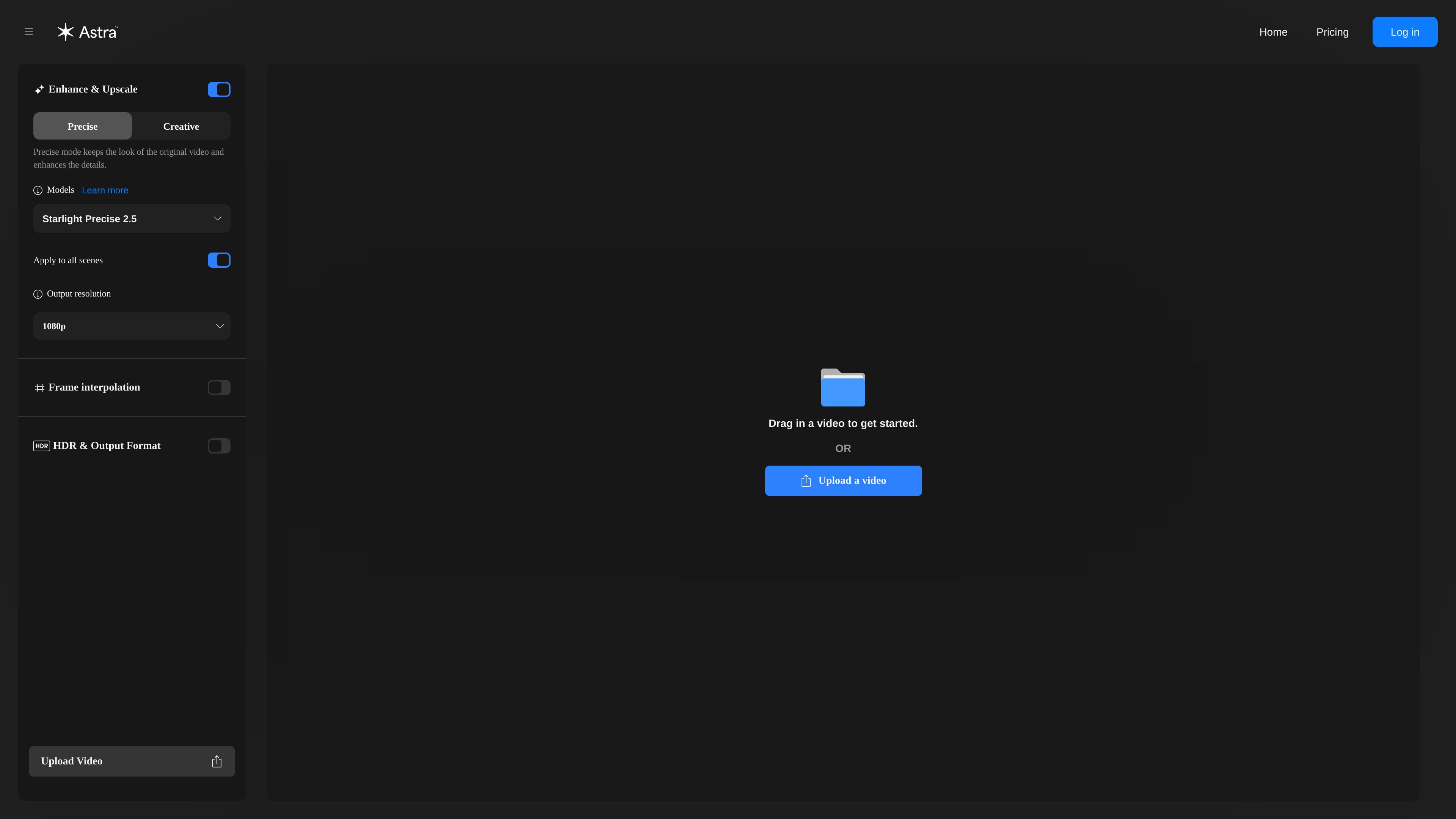
Choose between Precise and Creative enhancement types. Precise mode is described as better for realistic and archival footage, while Creative mode allows more deviation from the original for AI art and CGI work.
Astra is a web-based AI video upscaler from Topaz Labs. It is designed to enhance videos by improving resolution, clarity, and detail online.
The interface focuses on a guided upload-and-render workflow with model selection, enhancement modes, scene detection, and output controls. The page also distinguishes between Precise and Creative modes so users can choose between closer fidelity to the source footage and more generative detail changes.
Choose between Precise and Creative enhancement types. Precise mode is described as better for realistic and archival footage, while Creative mode allows more deviation from the original for AI art and CGI work.
Use scene detection to unlock scene-level controls for individual parts of a video. The interface warns that scene detection must finish before those controls are available.
Adjust output resolution, frame interpolation, and HDR/output format from the same workflow. The page notes that HDR and output format work with Starlight and Astra series models.
Upload a video directly in the web app and render from the browser. The page also mentions MP4 support in the web application and points unsupported file types to the desktop app.
The interface references model compatibility and includes Starlight Precise 2.5 among the available model labels shown on the page.
Upload footage that needs a cleaner, higher-resolution result while staying in the browser. The guided workflow fits users who want a straightforward enhancement pass without assembling a manual post-production pipeline.
Choose Precise mode when the goal is to preserve the look of realistic or archival footage while improving detail. This mode is presented as the better fit when fidelity to the original matters more than adding new visual changes.
Use Creative mode for AI art or CGI content where some deviation from the source is acceptable in exchange for new details. The product positions this mode for footage that can benefit from more interpretive enhancement.
Run scene detection to unlock scene-level controls and edit individual scenes separately. This is useful when different sections of a video need different treatment instead of a single global pass.
Apply HDR and output format settings when working with compatible Starlight or Astra series models. The page indicates these controls are model-dependent, so they fit workflows that need a specific output configuration.
Astra is a web-based AI video upscaler from Topaz Labs. You upload a video, choose an enhancement model and mode, and render the result online.
The rendered page shows upload support in the web app for MP4 files. It also notes that unsupported file types may be handled in the Topaz Video Desktop application instead.
Astra offers enhancement types including Precise mode and Creative mode, and it supports scene detection with scene-level controls once detection is complete.
The pricing flow says the free trial includes 50 credits, enough to render up to 100 seconds of video, lasts 7 days, requires a payment method, and auto-renews into the selected subscription unless canceled before the trial ends.
The source shows a pricing flow with monthly and yearly options, but the actual pricing page itself returned a 404 in the collected evidence, so exact plan prices are not available here.

Aiarty 是一套桌面 AI 軟體,可精準增強圖片與影片,並高精度去背;適用攝影、電商、設計與內容創作的本地處理工作流程。

Anvsoft 是多媒體軟體出版商,提供 AI 影片增強、影片模糊、照片增強與 PDF、行動裝置及資料安全相關工具,主打可下載桌面軟體與自動化媒體處理流程。

HitPaw 提供 AI 多媒體工具,適用於影片、照片與音訊增強、格式轉換與修復,支援桌面與線上工作流程,滿足創作者、剪輯與企業需求。

Artguru 是一款 AI 圖片、影片與 PDF 強化工具,支援一鍵放大、銳化、修復與文件清理,適合創作者、賣家、攝影師與團隊提升媒體品質。

EyeQ 的 Perfectly Clear 提供自動相片校正與 AI 影片增強,協助企業維持一致的視覺輸出並加快影像工作流程。支援即用工具、雲端 Web API、Docker 部署與可嵌入 SDK。

AVCLabs AI 提供影片與照片 AI 增強工具,支援放大、修復、模糊處理、物件移除與生成,適合桌面軟體或瀏覽器線上編輯流程。