

Multi-model chat
Chat with more than one model in a single window and compare responses side by side without switching tools.

Cabina.AI is a web-based AI workspace for chatting with multiple models, analyzing files, generating images and video, and managing prompts in one place. It includes free access options as well as paid subscriptions, pay-as-you-go credits, team plans, and an enterprise path.
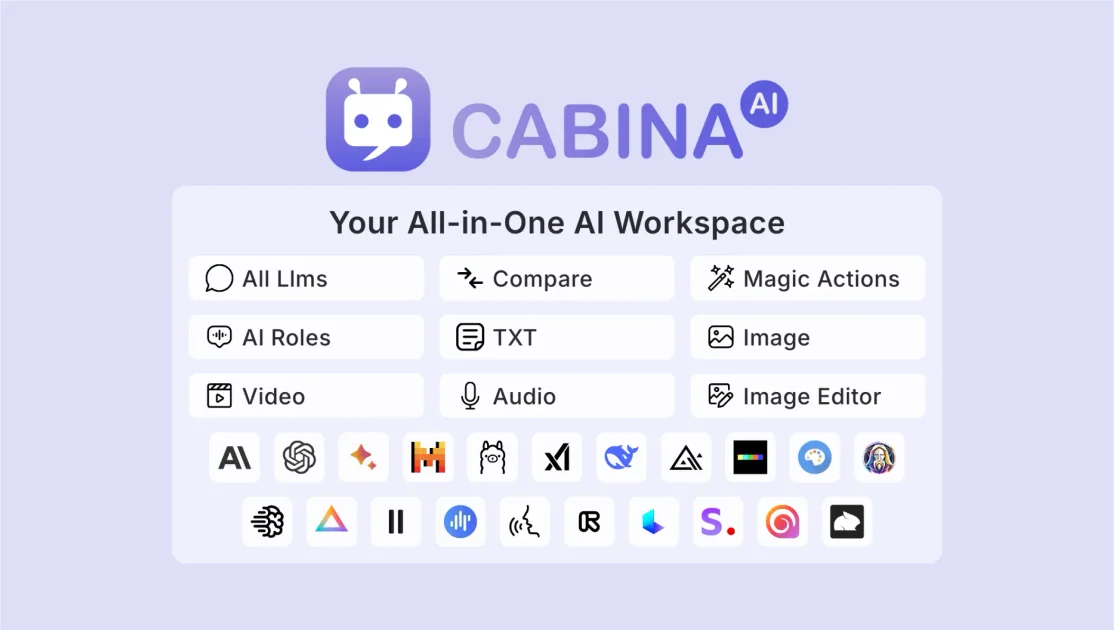
Cabina.AI is an all-in-one AI workspace that brings together chat with multiple language models, file analysis, image and video generation, audio transcription, and prompt tools in one web platform. The site positions it as a single place to interact with models such as ChatGPT, Claude, Gemini, Grok, Llama, Mistral, Flux, and others, while keeping conversations and projects organized.
The product is built for users who want to compare model outputs, work with documents and media, and manage recurring prompts or roles without moving between separate apps. The source also describes a free mode, pay-as-you-go access, subscription plans, and team-oriented options for shared token pools.
Chat with more than one model in a single window and compare responses side by side without switching tools.
Upload PDFs, DOCX, XLS, CSV, audio, and video files to chat with, summarize, translate, analyze, or rewrite their contents.
Use RAG to build a knowledge base from uploaded documents and query large files or multiple sources in one chat.
Generate and edit images with supported models and image tools, including canvas expansion and variation creation.
Create video from text prompts or images using integrated video models, and transcribe audio files to text.
Save prompts, create custom AI roles, and organize chats into folders for repeated workflows and easier navigation.
Compare outputs from multiple language models in one conversation when you want to pick the strongest response or blend ideas from different systems.
Upload documents, books, or data files and use RAG-backed chat to search, summarize, analyze, translate, or rewrite content.
Generate images or videos from prompts or source images, then refine results with supported editing and variation tools.
Transcribe audio files, work with speech-to-text, and use AI voice features for text output when you need media conversion in a single workflow.
Save recurring prompts, create custom AI roles, and organize chats into folders for repeatable personal or team workflows.
Cabina.AI is a browser-based all-in-one AI workspace for chatting with multiple models, working with files, and using AI tools such as summarization, image generation, and transcription.
The source says the main interface is available in nine languages, while the AI models and tools can be used in any language they support.
Pricing includes a free mode, pay-as-you-go options, and subscription plans. The pricing page also lists team plans and enterprise options.
Yes. The site says you can compare AI responses side by side and switch between models without losing context.
Cabina.AI says it supports chat with text, audio, video, PDFs, images, and more, plus folders for organizing chats and projects.

PixelPrompt is a browser-based AI image and video workspace for prompt optimization, text-to-image, and text-to-video generation. It supports ecommerce visuals, ad creatives, and short-form UGC-style content without requiring a local GPU.

書生是一個通用大模型體系,提供語言、多模態、氣象海洋、工業設計、三維空間、金融與科學發現等場景的模型與平台能力。

小藝是華為自主研發的 AI 智慧助手,支援知識問答、寫作、文檔閱讀、程式碼輔助與識圖,適用日常查詢、內容處理與鴻蒙開發,並支援檔案拖放輸入。

Rizzle 是以出版商為核心的平台,可將文章轉成編輯級影片,並協助在主要渠道分發與變現;支援 AI 輔助與人工編審的代管流程。

GetESP 是一款網頁應用,可分析 CSV 電子郵件名單,辨識收件者 ESP 與支援的垃圾郵件防護工具,協助寄件者分群並挑選相符供應商以提升送達率。

AI Magicx 是整合式 AI 工作區,將聊天、圖片、影片、語音、音樂、電子郵件與開發任務集中於一處,方便創作者、團隊與開發者整合多模型,免切換工具與訂閱。