

Multi-format creative suite
Generate and edit images, video, and audio from one browser-based workspace, using credits that work across the available models and tools.

Mitte is a browser-based AI creative suite for generating and editing images, video, and audio with a shared credit system across its models and tools. It suits individual creators and teams that need preset-driven workflows, collaboration features, and enterprise options.
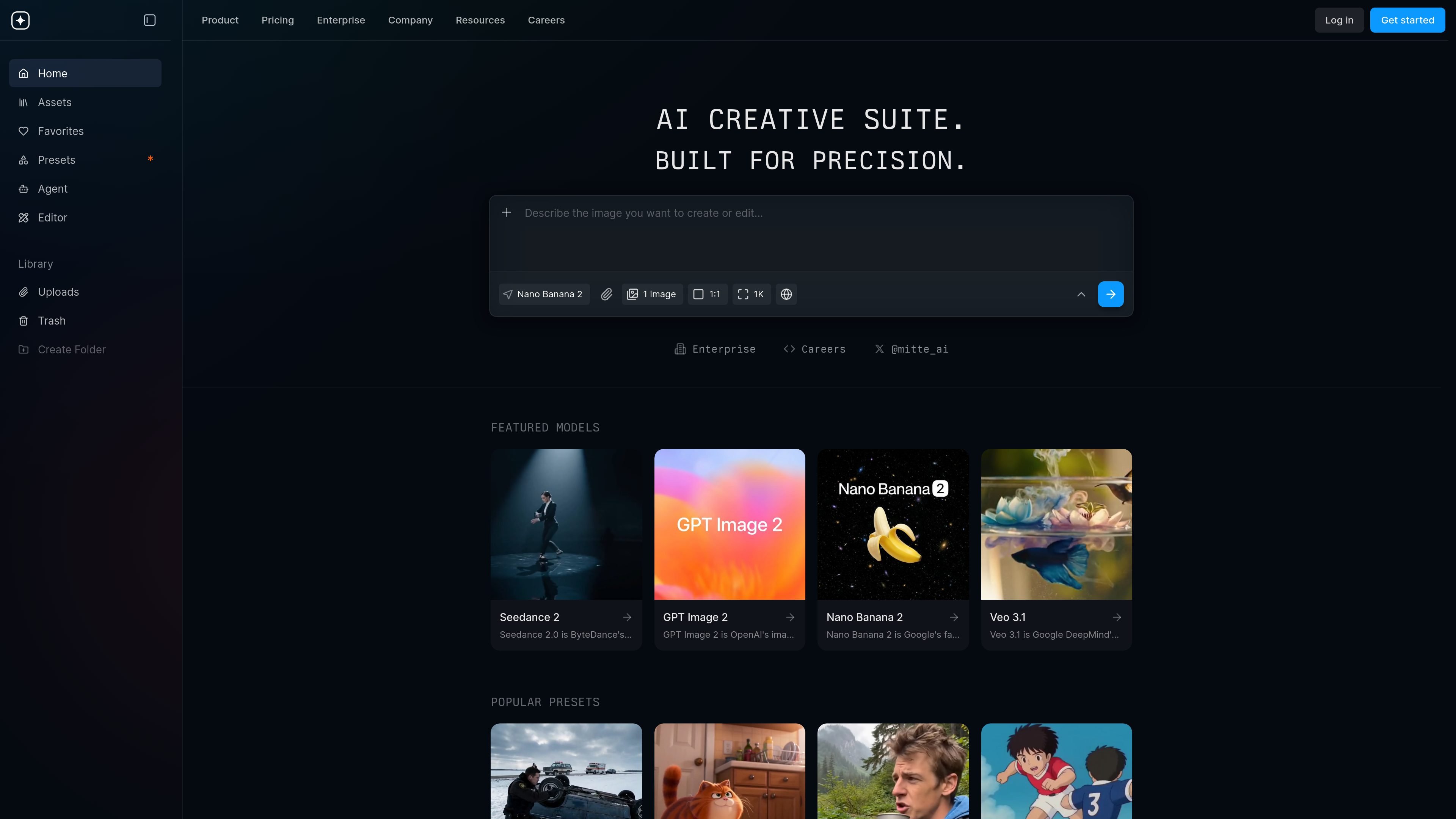
Mitte is a browser-based AI creative suite for generating and editing images, video, and audio. The site positions it as a single place to work with models and tools from providers such as OpenAI and Google, alongside Mitte-specific presets and workflow tools.
The product is built for individual creators as well as teams. Pricing is usage-based through credits that apply across models and tools, and the enterprise offering adds shared workspaces, access controls, central billing, and onboarding support for collaborative use.
Generate and edit images, video, and audio from one browser-based workspace, using credits that work across the available models and tools.
Choose from a broad model library that includes names such as Sora, Veo, Flux, Seedance, GPT Image 2, Nano Banana 2, and more.
Use ready-made presets for recurring creative tasks like cinematic scenes, brand films, UGC ads, web design, headshots, storyboards, and voice cloning.
Work with editing and utility tools such as background removal, upscaling, subtitles, video background removal, image-to-SVG conversion, and Remotion.
Set up shared workspaces with real-time editing, comments, reviews, roles, permissions, and central billing for team workflows.
Access enterprise options including SSO, GDPR support, EU data residency, and white-glove onboarding for larger teams.
Create still images, edit existing images, or generate design concepts using models such as GPT Image 2 and Nano Banana 2, then refine them with utility tools like upscaling or background removal.
Produce short-form or cinematic video with models and presets for brand films, UGC ads, storyboards, anime scenes, and commercial-style clips.
Generate voice clones, speech, music, or sound effects for narration and media projects that need audio created alongside visuals.
Build repeatable creative processes for teams that need shared workspaces, comments, reviews, permissions, and central billing.
Use enterprise onboarding and support when a larger organization needs shared access, security controls, and rollout help for multiple contributors.
Mitte combines image, video, and audio generation in one browser-based creative suite. The source pages show a large model library, ready-made presets, and team features for shared workspaces.
The pricing page shows a Free plan plus paid plans with monthly or yearly billing. It also notes that credits are shared across models and tools, with credit top-ups available.
Yes. The Enterprise page describes shared workspaces, real-time editing, roles and permissions, central billing, SSO, SOC 2 aligned security, GDPR compliance, and EU data residency.
The site’s pricing and enterprise pages mention support for image, video, and audio generation, plus tools such as voice cloning, background removal, upscaling, subtitles, and Remotion.
The pricing page states that free users can reach support by email, while Pro and Max plans include priority support. The Enterprise page also offers white-glove onboarding and a dedicated Slack channel.

Upsampler 是一站式 AI 圖像與影片平台,可在同一工作區生成、編輯與放大影像。採點數計費,所有方案皆含完整 API 與商業使用授權。

Paper 是一款設計工具,串連畫布、程式碼與 AI agent,讓團隊可在同一工作流程中建立、分享並交付作品。支援桌面應用程式、MCP agent 存取,以及真實內容與設計 token 工作流。

豆繪AI是面向電商與設計的線上AI出圖與編輯平台,支援白底圖、場景圖、室內效果圖與常見圖片後製處理,快速產出可交付商品圖與行銷圖。

Framer is an AI website builder for professional sites. It helps teams design, manage CMS content, optimize SEO, collaborate, and publish from a single no-code workflow.

Hurree 是一個 AI 驅動的報表與分析平台,可集中公司數據、建立共享儀表板,並透過 Riva 生成摘要、建議與預測,適合想要免技術設定的一站式報表團隊。

Rizzle 是以出版商為核心的平台,可將文章轉成編輯級影片,並協助在主要渠道分發與變現;支援 AI 輔助與人工編審的代管流程。