

Ranked skill discovery
Browse a leaderboard of skills ranked by installs and activity, with filters such as all-time, trending, and hot to surface widely used options.

Skills.sh is a directory for discovering and installing AI agent skills. Browse ranked listings, open skill pages, and install a chosen skill package.
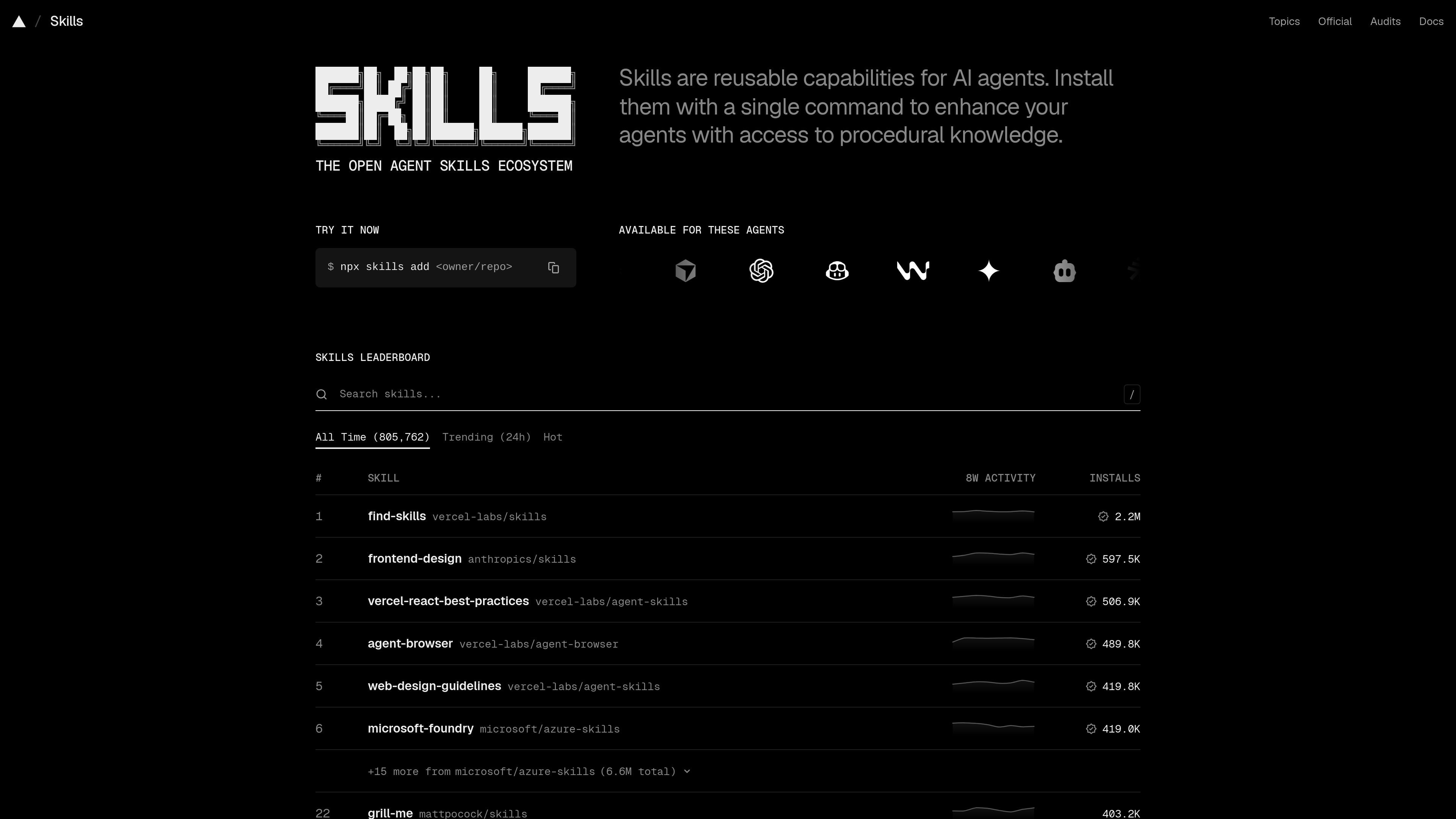
Skills.sh is a directory for discovering and installing AI agent skills. The homepage centers on a leaderboard that surfaces skills by installs and activity, while individual skill pages provide summaries, installation commands, repository context, and related skills.
In practice, the site helps users move from a broad search for capability to a specific skill package they can install and use. The examples on the site cover agent workflows, design guidance, debugging, and platform-specific tasks, so the directory functions as a catalog of specialized agent extensions rather than a single-purpose tool.
Browse a leaderboard of skills ranked by installs and activity, with filters such as all-time, trending, and hot to surface widely used options.
Open a skill page to read a summary, see the skill category, and review the package repository and first-seen metadata.
Use the installation command shown on skill pages, such as `npx skills add ... --skill ...`, to install a selected skill.
View related skills on each skill page to compare adjacent options and find alternatives in the same workflow area.
Check the leaderboard for source domains like `anthropics/skills`, `vercel-labs/skills`, and `microsoft/azure-skills` to understand where a skill comes from.
Review security audit indicators shown on skill pages, including PassSocket and Snyk status where available.
A user who wants to extend an agent’s abilities can search the leaderboard, inspect a skill page, and install the selected package with the shown command.
Someone comparing options in the same task area can open multiple skill pages and review related skills, install counts, and repository sources before choosing one.
A workflow owner can use the directory to locate skills for specific jobs such as frontend design, skill creation, or debugging support.
A user trying to assess trust signals can look at repository metadata, first-seen dates, and security audit indicators before installing a skill.
Skills.sh is a directory for discovering and installing skills for AI agents. The homepage presents a leaderboard of skills and the product pages show individual skill details and installation instructions.
The source does not show a complete pricing model because the pricing page failed to load. Based on the available evidence, pricing details are not confirmed here.
The site shows a leaderboard and individual skill pages with summaries, installation commands, and related skills, which suggests it is meant for browsing and selecting skills from a shared ecosystem.
The rendered pages show skill pages for domains such as agent workflows and design, but they do not provide a full compatibility matrix or platform support list.

Hypertype is an AI agent for industrial support teams, reducing repetitive work, integrating with existing tools, and using selected company data through consultative enterprise onboarding.

HiringPartner.ai is an autonomous AI recruiting platform for sourcing, screening, and interviewing candidates 24/7. It supports ATS-connected workflows, bulk resume uploads, and reviewable interview outputs for hiring teams.

RLAMA is a local AI platform for building RAG systems and intelligent agents on macOS, Linux, and Windows, with HTTP API support.

BrowserOS is an open-source AI browser that automates web tasks from plain-language prompts on macOS, Windows, and Linux, with Chrome extensions and MCP integrations.

Termo is an AI agent platform with dedicated VMs for browsing, code execution, memory, and scheduled automation for research and build tasks.

SimplAI is an enterprise agentic AI platform for building, governing, and deploying AI agents across cloud, on-prem, hybrid, and air-gapped environments.