

On-device AI Tune
EQK analyzes playback on the Mac itself, then adjusts tone while the song is playing. It learns from listening and can shape the next play more accurately using locally saved song memory.
EQK is a Mac equalizer with per-app, AI-assisted tuning, local analysis, local saved routes, local file playback, headphone correction, and no account required.
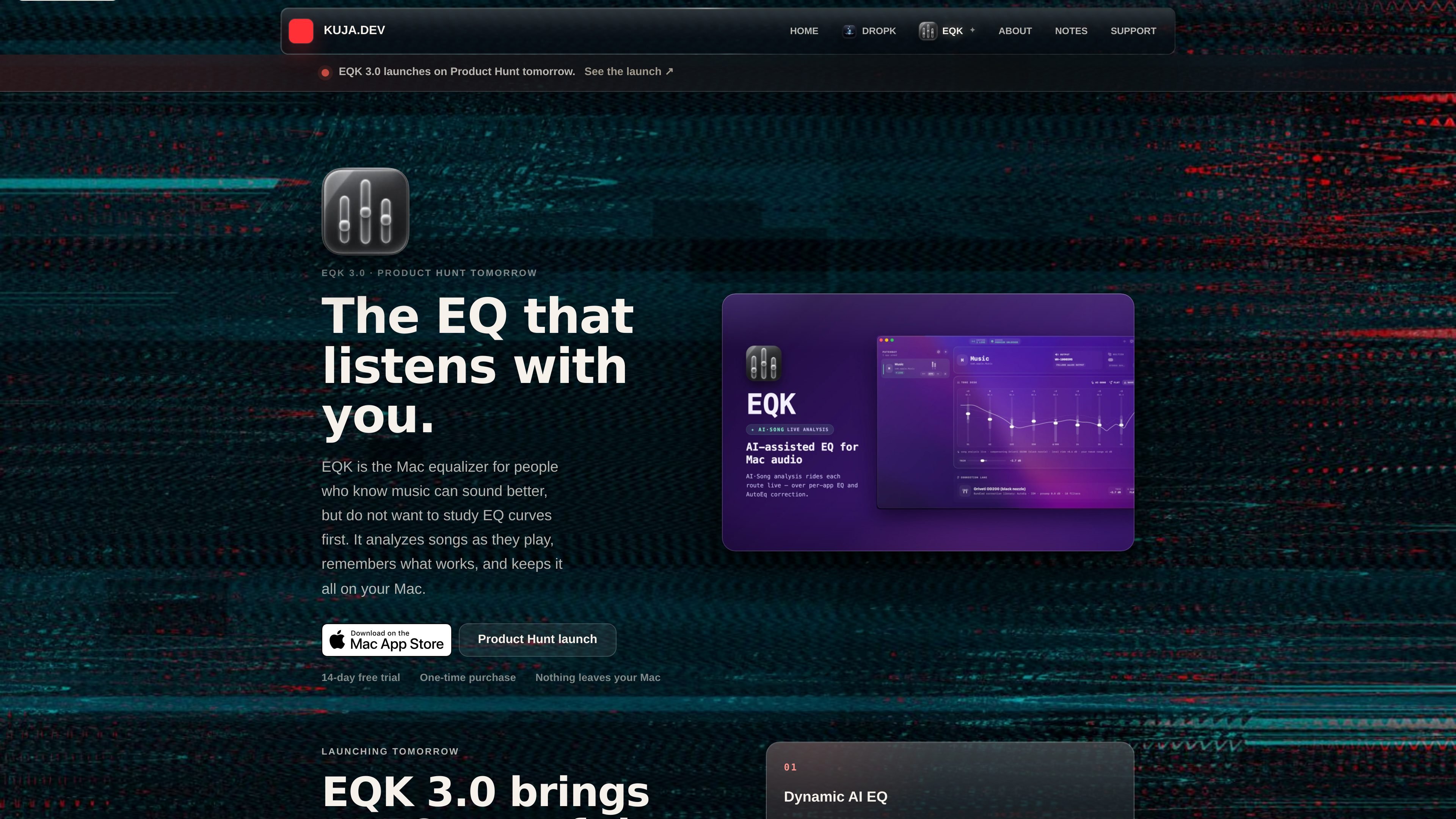
EQK is a Mac equalizer that routes audio per app and applies AI-assisted tone shaping while playback is running. It is built for people who want better sound without working through a traditional equalizer workflow first.
The app runs on macOS 14.6 or later and is available through the Mac App Store and a notarized direct download. EQK keeps analysis and saved routes on the Mac, supports Apple silicon and Intel machines, and is positioned as a private, local audio tool rather than a cloud service.
EQK analyzes playback on the Mac itself, then adjusts tone while the song is playing. It learns from listening and can shape the next play more accurately using locally saved song memory.
The app stores per-song and per-app EQ data locally and can remember up to 1,000 songs. EQ memory is kept on the Mac instead of being downloaded or synced to a cloud account.
EQK includes an Optimizer console that checks saved layouts and song memories for broken or incomplete data. The 3.1 release notes say it can run on a schedule or on demand.
The guide says EQK supports a local library player for FLAC, ALAC, WAV, and MP3 files. This lets users play and tune local files without the System Audio Recording permission needed for app routes.
EQK provides bundled headphone correction profiles and also accepts community EQ imports. The guide says imported AutoEQ / EqualizerAPO .txt files become editable saved presets, while vetted correction profiles remain separate.
EQK routes audio per app and keeps route settings such as output device, correction profile, AI mode, and playback state. The roadmap also lists ten-band EQ, output trim, app-following activity modes, and multichannel support.
Use EQK when you want to improve the sound of a specific music app without changing the rest of your Mac’s audio. The guide lists dedicated app routes and activity modes for app-by-app control.
Use the local player when you want to play FLAC, ALAC, WAV, or MP3 files inside EQK without granting System Audio Recording permission. This is a cleaner fit for local libraries and offline listening.
Use the headphone correction library when you already know the exact model you are listening through and want a starting correction profile before making taste-based EQ changes.
Use AI Tune when you want EQK to learn a song as it plays and save a remembered curve for the next listen. The roadmap and homepage describe song memory and locally stored AI analysis as core behavior.
Use the community import path when you want to bring in an AutoEQ or EqualizerAPO parametric preset as a saved editable preset. The community page makes clear that shared files are unverified and separate from the vetted correction library.
EQK requires macOS 14.6 or later. It is available through the Mac App Store and as a notarized direct download, and the guide says both Apple silicon and Intel Macs are supported.
For app routes, EQK needs System Audio Recording permission so it can capture the selected app’s audio. The local player for FLAC, ALAC, WAV, and MP3 files does not need that permission.
EQK works with a curated list of dedicated music, video, podcast, and local-player apps, including Apple Music, Spotify, TIDAL, Apple TV, VLC, Plexamp, and others listed in the guide. Normal browser tabs are excluded because macOS does not expose them as isolated audio sources.
EQK has one-time purchase distribution, a 14-day free trial, and a local Mac App Store version. The roadmap also says a lifetime web license activates up to two Macs.
The guide describes AI Tune as local playback analysis with manual control still available, plus Bypass for comparing the tuned and original signal. EQK also stores routes and tuning locally on your Mac and does not require an account.

SongCleaner is a web-based AI audio editor that removes unwanted words from songs for cleaner playback at home, in class, or at events.

Altered is an AI voice changer and voice content creation platform for media production and live voice use. It combines voice morphing, text-to-speech, transcription, translation, cloning, and editing in one application.

Podfy.ai is a browser-based AI video tool that turns text, scripts, audio, and music into edited videos with narration, subtitles, effects, and soundtrack for faster short-form social content.

Music Demixer is a web app that separates songs into stems and converts audio into MIDI or sheet-music drafts, with specialized workflows for piano and drums. It helps musicians and producers preview, rebalance, and export files for practice, editing, or DAW use.

Inpodcast AI is a browser-based AI podcast studio for turning documents, scripts, and text into podcast-style audio with voice cloning and text to speech.

Dubformer is a web-based AI dubbing studio for localized video voice tracks, with line-by-line control over pronunciation, emotion, and delivery for reviewable team workflows.