

Query-relevant result passages
Returns query-relevant passages instead of plain website descriptions when matching content is available, which helps users evaluate search results without opening each page.

Firecrawl Search Highlights replace plain search descriptions with query-relevant passages from matching pages, enabled by default on /v2/search.
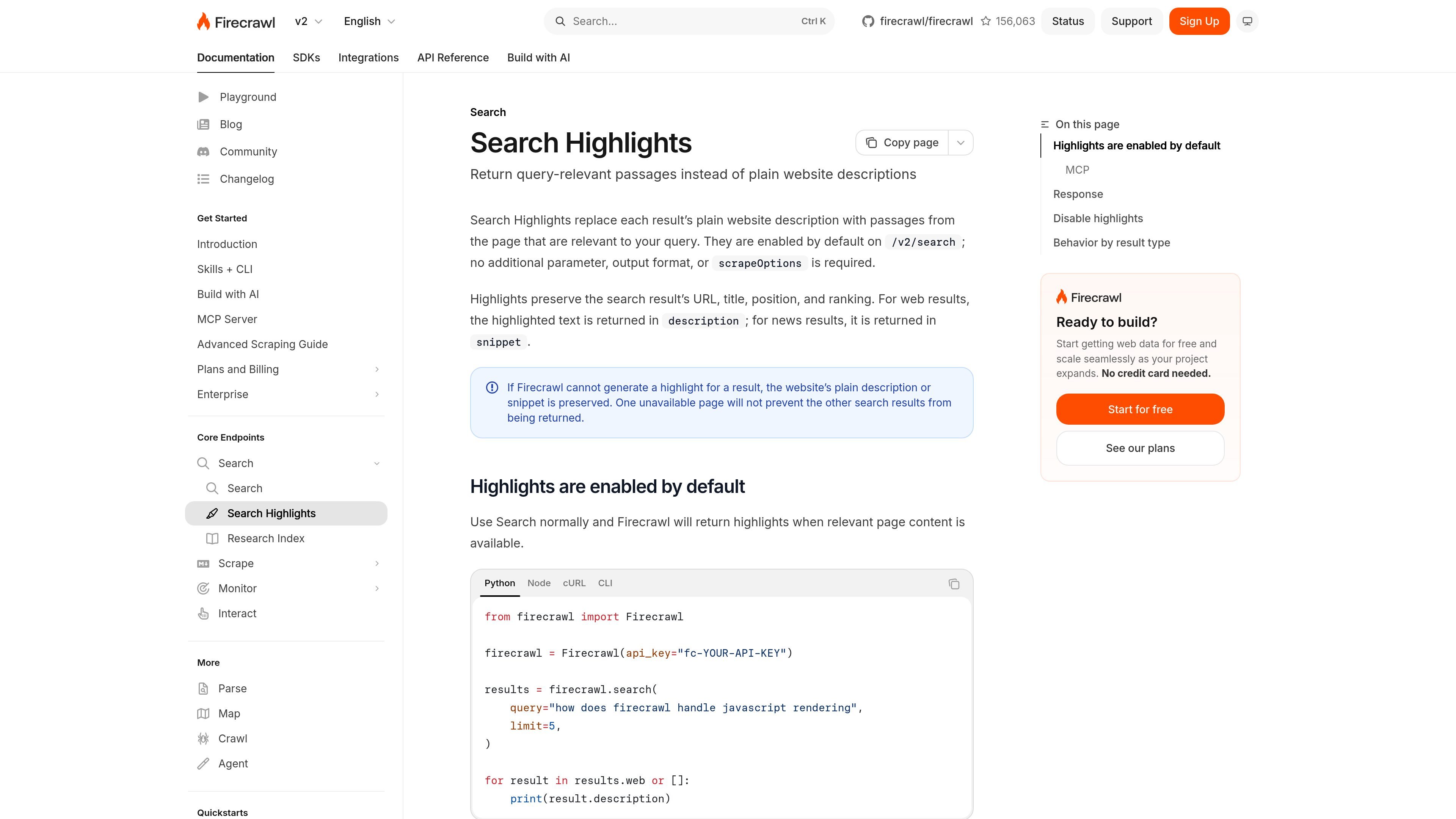
Firecrawl Search Highlights are a search-output feature for `/v2/search` that replace the usual plain website description with passages from the page that are relevant to the user’s query. The goal is to make search results more immediately useful by surfacing the most relevant text directly in the result list.
Highlights are enabled by default and do not require a separate output format or `scrapeOptions` setting. The same search response still includes the result URL, title, position, and ranking, while highlighted content appears in `description` for web results and `snippet` for news results.
Returns query-relevant passages instead of plain website descriptions when matching content is available, which helps users evaluate search results without opening each page.
Keeps the original search result metadata, including URL, title, position, and ranking, while swapping in highlighted text for the description or snippet fields.
Works by default on `/v2/search` with no extra parameters or `scrapeOptions` required, so highlight output is part of normal search usage.
Supports both web and news results: web results use `description` for highlighted text, and news results use `snippet`.
Falls back to the plain description or snippet when Firecrawl cannot generate a highlight, and does not block other results if one page is unavailable.
Can be disabled with `highlights: false` when plain descriptions or snippets are preferred.
Review search results faster by reading query-matched passages in place of generic page descriptions, which is useful when comparing many results for a single question or topic.
Inspect how Firecrawl addresses a specific technical question by searching with a natural-language query and reading the highlighted passages returned in the result list.
Use the same search flow in Python, Node.js, cURL, the CLI, or MCP-based workflows without adding extra highlight-specific configuration.
Search for current articles or announcements and read the relevant excerpt directly from news results, where the highlighted text is returned in `snippet`.
Search Highlights are enabled by default on `/v2/search`. When relevant page content is available, Firecrawl replaces the plain description for web results or the snippet for news results with query-relevant passages from the page.
No. The page says highlights are enabled by default and do not require an additional parameter, output format, or `scrapeOptions`. You can turn them off by setting `highlights` to `false`.
Highlights affect the search response fields themselves. For web results, the relevant content is returned in `description`; for news results, it is returned in `snippet`. The URL, title, position, and ranking are preserved.
If Firecrawl cannot generate a highlight for a result, it keeps the website’s plain description or snippet. One unavailable page does not prevent the other search results from being returned.
The documentation shows examples for Python, Node.js, cURL, the CLI, and the `firecrawl_search` MCP tool, so Search Highlights can be used across those interfaces.

Crossing Minds is a retrieval platform for accurate, secure, scalable AI applications. The public site also says the team is joining OpenAI.

Termo is an AI agent platform with dedicated VMs for browsing, code execution, memory, and scheduled automation for research and build tasks.

Orca is an Agent Development Environment for shipping with coding agents, running multiple CLI agents in parallel across isolated worktrees, with desktop and mobile workflows.

Firebase Studio is a web-based workspace for full-stack app development with Gemini-assisted coding, app previews, cloud emulators, collaboration, and browser deployment.

EZsite AI is an AI website builder that turns a URL into a fullstack React or Vue.js app with hosting, custom domains, code export, and backend features.

AI Magicx is a unified AI workspace for chat, image, video, voice, music, email and developer tasks, helping teams and creators manage multiple models in one place.