

Built-in AI checker
Checks text against multiple AI detectors and presents the results in one place, instead of making you test each detector separately.

Uncheck AI is a web-based AI checker and humanizer that reviews AI text, rewrites it naturally, and offers free and paid plans.
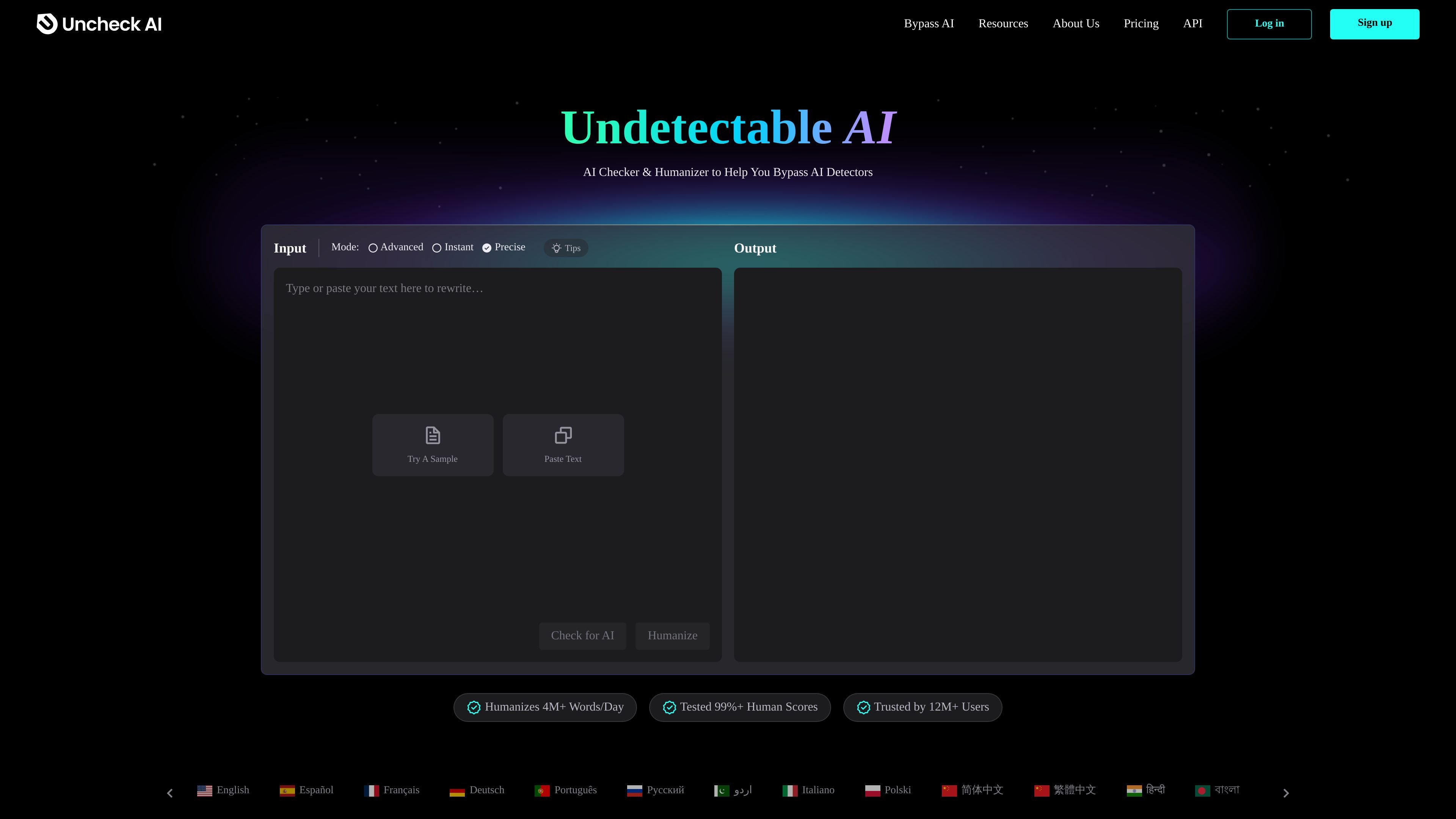
Uncheck AI is a web-based AI checker and humanizer that scans text for AI signals and rewrites it to sound more human. The product positions itself as a way to check generated text, transform it into undetectable AI content, and review results against multiple detectors from one interface.
The site says Uncheck AI can work with text generated by tools such as GPT, Claude, Gemini, and other AI models. It also presents itself as a way to remove ChatGPT watermark phrases, improve readability, and preserve the original meaning while changing structure and wording.
A pricing page shows both free and paid plans, with usage measured by words per month and words per process on paid tiers. The product is offered directly through uncheck.ai and appears to be aimed at people who need to inspect or rewrite AI-generated text for publishing, coursework, marketing, or general web content.
Checks text against multiple AI detectors and presents the results in one place, instead of making you test each detector separately.
Rewrites AI-generated text to make it read more naturally while aiming to preserve the original meaning.
Offers three humanization modes on the pricing page: Instant, Advanced, and Precise.
States that it can remove ChatGPT watermark phrases in one step by identifying and replacing the marked text.
Claims outputs are error-free, plagiarism-free, and highly readable, which positions the tool for publishing and reuse.
Shows support for text generated by common models such as GPT, Claude, Gemini, Bard, and Llama in its detector-related descriptions.
Paste AI-generated draft text into the tool, check it against multiple detectors, and review whether the output appears more human-like before publishing.
Use the built-in checker to compare a piece of writing against several detector results without manually testing each service one by one.
Run text through the rewriting modes when you want to preserve the original meaning but change phrasing, structure, and flow.
Use the watermark-removal workflow when working with ChatGPT-generated text that may contain watermark phrases the site says it can replace.
Evaluate AI-assisted marketing, blog, or email copy before use when you want a more natural-sounding final version.
Uncheck AI is a web-based AI checker and humanizer. You paste or enter text, run a check or rewrite, and receive a result in the browser without a complex setup.
The site presents it for people who want to check AI content, humanize AI-generated text, and review whether rewritten text appears more natural to AI detectors.
The homepage says Uncheck AI can work with text generated by models such as GPT, Claude, Gemini, and other AI tools, and the pricing page lists modes including Instant, Advanced, and Precise.
The pricing page shows a Free plan and paid plans, with monthly and yearly billing options. It also shows usage limits by words per month and words per process on paid tiers.
The source material does not describe team workspaces, collaboration features, or shared accounts, so team usage details should be confirmed directly with the product.

Walter Writes AI rewrites AI-generated text to sound more natural and checks for AI signals—ideal for writers, students, marketers, and teams.

OneClickHuman AI content humanizer rewrites machine text into natural copy while preserving formatting. Free trial, two modes, 10+ languages.

AI Detect is a web-based AI detector and AI humanizer for checking whether text appears AI-generated. Ideal for students, educators, businesses, marketers, and teams.

Paperpal is an AI academic writing tool and research assistant for students and researchers, with drafting, paraphrasing, citation support, PDF research, and submission checks.

BypassGPT.co rewrites AI-generated text into more natural copy with tone options and simple paste-and-generate workflow to reduce AI-detection flags.

GPTinf is a web-based AI writing tool that humanizes text, checks for AI patterns, and scans for plagiarism in one workspace. It is aimed at users who want to refine machine-generated drafts and review them before publishing or submitting.