

Text-to-diagram generation
Paste ideas, notes, or questions into the product and it generates diagrams from text. The homepage suggests input can come from sources such as notes, Slack messages, and meeting notes.

Draft1.ai is an AI diagram generator that turns text into editable diagrams and draft reports. Export PDF, DOCX, or MD for publishing or editing.
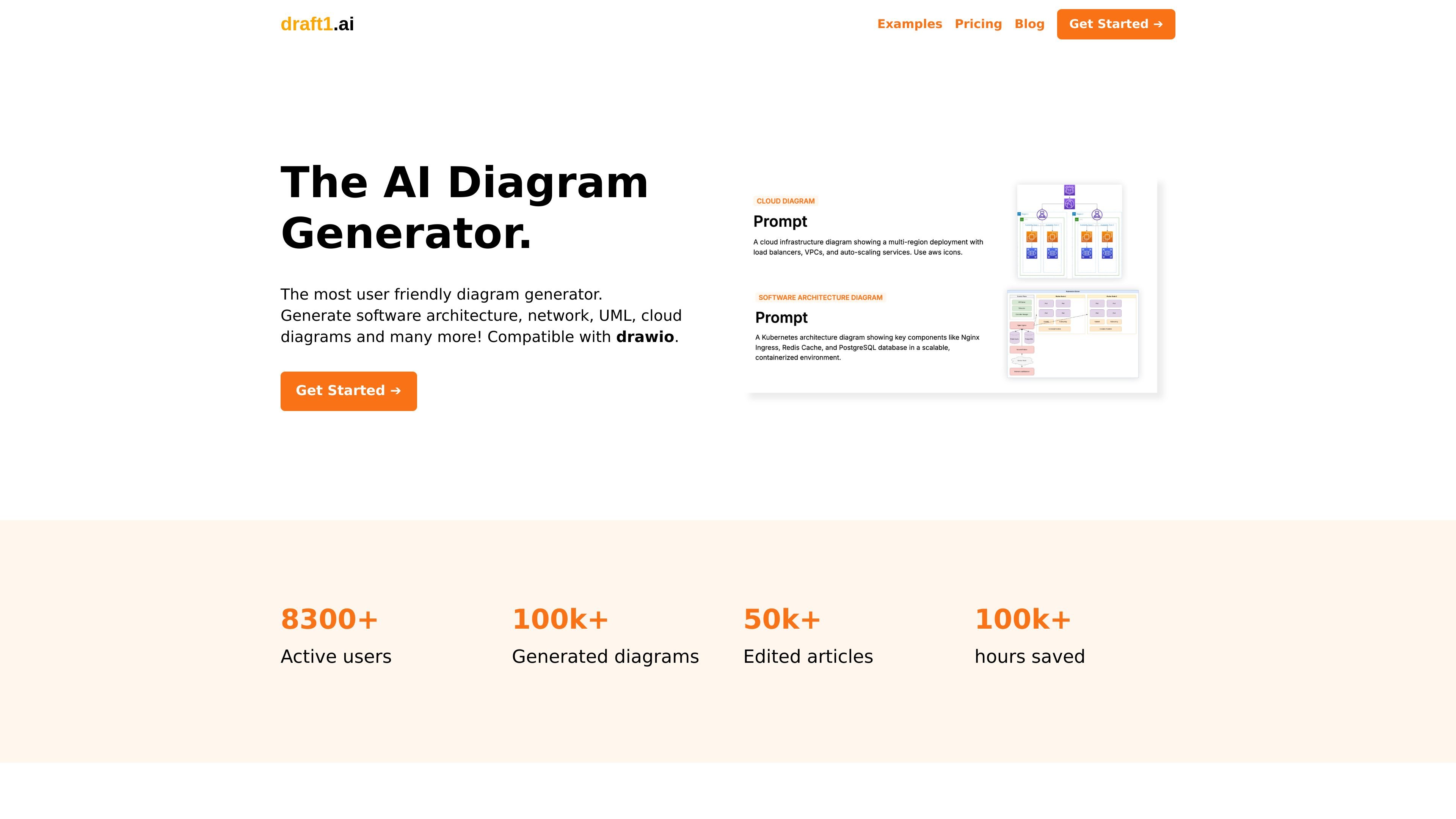
Draft1.ai is an AI diagram generator that turns text into editable diagrams and a first-draft document. The homepage positions it for software architecture, network, UML, cloud, ER, and infrastructure diagram workflows.
The product is built for people who start with rough notes, questions, or copied text and need a visual draft quickly. It also supports downloading the resulting assets in PDF, DOCX, or MD, and the site says generated diagrams can be refined in Draft1.ai and in Draw.io.
Paste ideas, notes, or questions into the product and it generates diagrams from text. The homepage suggests input can come from sources such as notes, Slack messages, and meeting notes.
The product produces a visual draft and a first-draft report in a few seconds, helping users move from raw notes to a shareable starting point.
Generated diagrams can be edited after creation, and the site says changes such as text, color, and images can be made with a few clicks.
Draft1.ai supports exporting assets in PDF, DOCX, and MD for publishing or further editing.
The site states that Draft1 diagrams are editable with Draw.io, which lets users continue refinement in a familiar diagramming tool.
Homepage examples and use cases show support for ER, network, architecture, cloud, and Kubernetes-style diagrams.
Paste rough notes, Slack snippets, or meeting notes and generate a first-pass diagram set that can be refined before sharing.
Draft software architecture, cloud, or Kubernetes diagrams when you need a structured starting point for engineering discussions.
Create ER or network diagrams for data modeling and infrastructure planning, then adjust them in Draw.io if needed.
Produce diagrams and a companion draft report for documents that need both a visual and written explanation.
Generate an editable diagram quickly when you need a starting point for collaboration rather than a finished hand-drawn artifact.
Draft1.ai turns pasted text or notes into diagrams and a first-draft report, so users can move from rough ideas to visual drafts without drawing everything manually.
The source shows outputs for ER, UML, Kubernetes, network, architecture, cloud, and infrastructure-style diagrams. It is positioned for text-to-diagram workflows rather than a single diagram type.
Generated diagrams can be edited in Draft1.ai, and the site says all Draft1 diagrams are editable with Draw.io for further adjustments.
The site says you can download assets in PDF, DOCX, or MD for publishing or further improvement.
The pricing information on the homepage lists Basic, Pro, and Enterprise plans, and also indicates a free trial-style call to action with "Try it for free" on the site description. The separate `/pricing` path returns a 404, so the homepage pricing text is the clearest available source.

讯飞写作 is an AI writing assistant for office, news, marketing and official content. Import audio, video, Word, images and PPT to draft faster.

Hurree is an AI-powered reporting and analytics platform that centralizes company data, shared dashboards, and Riva summaries, recommendations, and forecasts.

小艺 is Huawei’s AI smart assistant for Q&A, writing, document reading, code help, image recognition, and file drag-and-drop.

Arcwise is an AI product for detecting meaningful metric changes and explaining them with data-grounded analysis. It turns warehouse and business-context data into decision-ready reports in app, docs, or slides.
ChartAI is a web-based AI tool for charts, diagrams, infographics, and visuals for presentations, papers, and projects.

LexWorkplace is a cloud-based document and email management system for law firms, helping teams organize matters, search documents and email, and manage legal workflows from Outlook.