

Markdown and JSON output
Convert documents into AI-ready Markdown or structured JSON for downstream analysis and LLM workflows.

Monkt converts documents to Markdown or structured JSON via REST API for file- and URL-based processing in AI workflows.
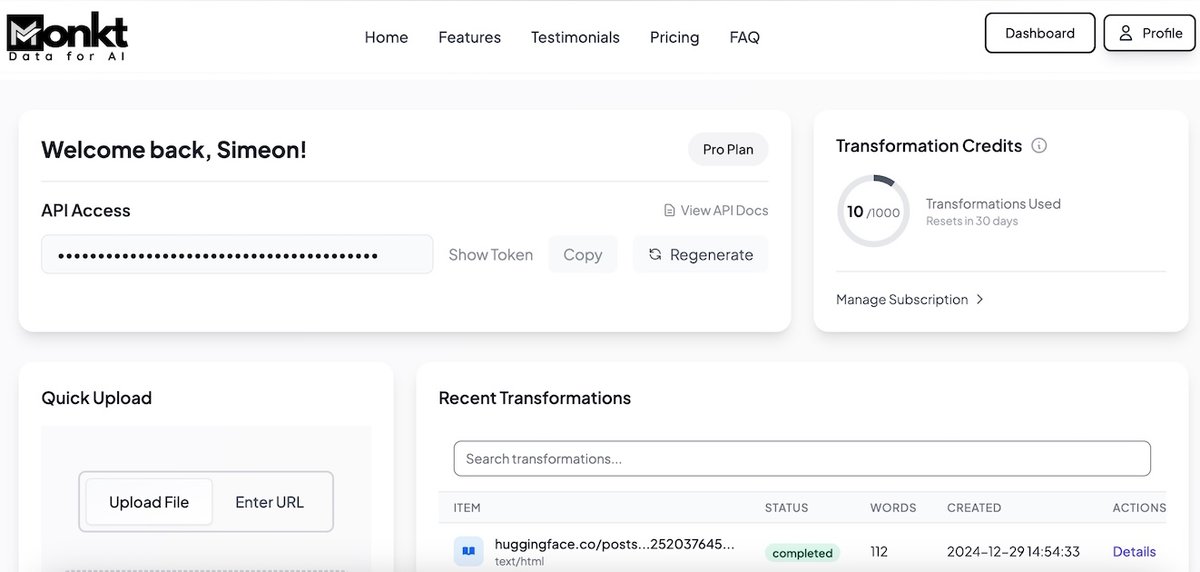
Monkt is a document processing platform that converts documents into AI-ready formats, including Markdown and structured JSON. The site positions it for companies and developers working with AI systems and emphasizes clean, structured output for Large Language Model workflows.
The public API documentation shows a REST-based workflow with token authentication, file uploads, URL input, schemas, prompts, and deep extract downloads. That makes Monkt suitable for teams that want to automate document transformation and retrieval in application code rather than handle conversion manually.
Convert documents into AI-ready Markdown or structured JSON for downstream analysis and LLM workflows.
Use the REST API to list, create, inspect, and delete transformations programmatically.
Upload files or submit a URL to start a transformation from the API.
Create and apply schemas for structured JSON extraction from transformed content.
Define prompts that can be applied to transformations, including prompts that return JSON output.
Download deep extract results in multiple formats, including ZIP, JSON, and Markdown variants.
Convert reports, articles, or other documents into Markdown or JSON so they can be used in LLM pipelines, search workflows, or internal tooling.
Send files to the API, retrieve transformation results, and manage them through standard list, detail, and delete operations.
Apply a schema when you need structured fields from transformed content, such as invoice numbers, dates, or other named data points.
Use deep extract outputs when you need multiple downloadable representations, including ZIP archives and Markdown or JSON variants.
Use the prompt endpoints to create reusable extraction instructions and apply them to transformations for repeatable processing tasks.
The source shows a REST API for transforming documents, including file uploads and URL-based input. It also supports JSON output, schemas, prompts, and deep extract downloads.
The documentation says API requests require authentication with an API token in the `Authorization` header.
The documentation includes both file upload and URL-based transformation examples, so Monkt can process documents from uploaded files or from a web URL.
The public pricing page currently returns a 404 in the collected evidence, so pricing details are not available from the provided sources.

Energent.ai is a no-code AI data analysis tool for files, documents, and links, with analysis, extraction, and exportable reports for business and finance.

GetESP analyzes CSV email lists to identify recipient ESPs and spam protection tools, helping segment lists and choose the right provider for better deliverability.

Rayyan is an AI-powered platform for systematic and literature reviews, helping teams manage screening, extraction, bias assessment and reporting in one shared workflow.

My QR Code is a web-based QR code generator for links, vCards, files and more, with design customization, export formats and scan tracking.

IDWise is an identity verification platform for document checks, facial verification, proof of address, and compliance workflows with simple per-verification pricing and free integration options.

魔音工坊 is an online text-to-speech and AI voiceover platform for short videos, audiobooks, and content creators, with script extraction and auto timing tools.