

AI-generated file names
Upload files and let the app read their content before suggesting a descriptive name. The homepage positions this as the basic workflow for PDFs, photos, and documents.

Renamer.ai is an AI file renamer that turns documents, PDFs, photos, and other supported files into descriptive filenames based on content. It supports web and desktop workflows for batch renaming and background file organization.
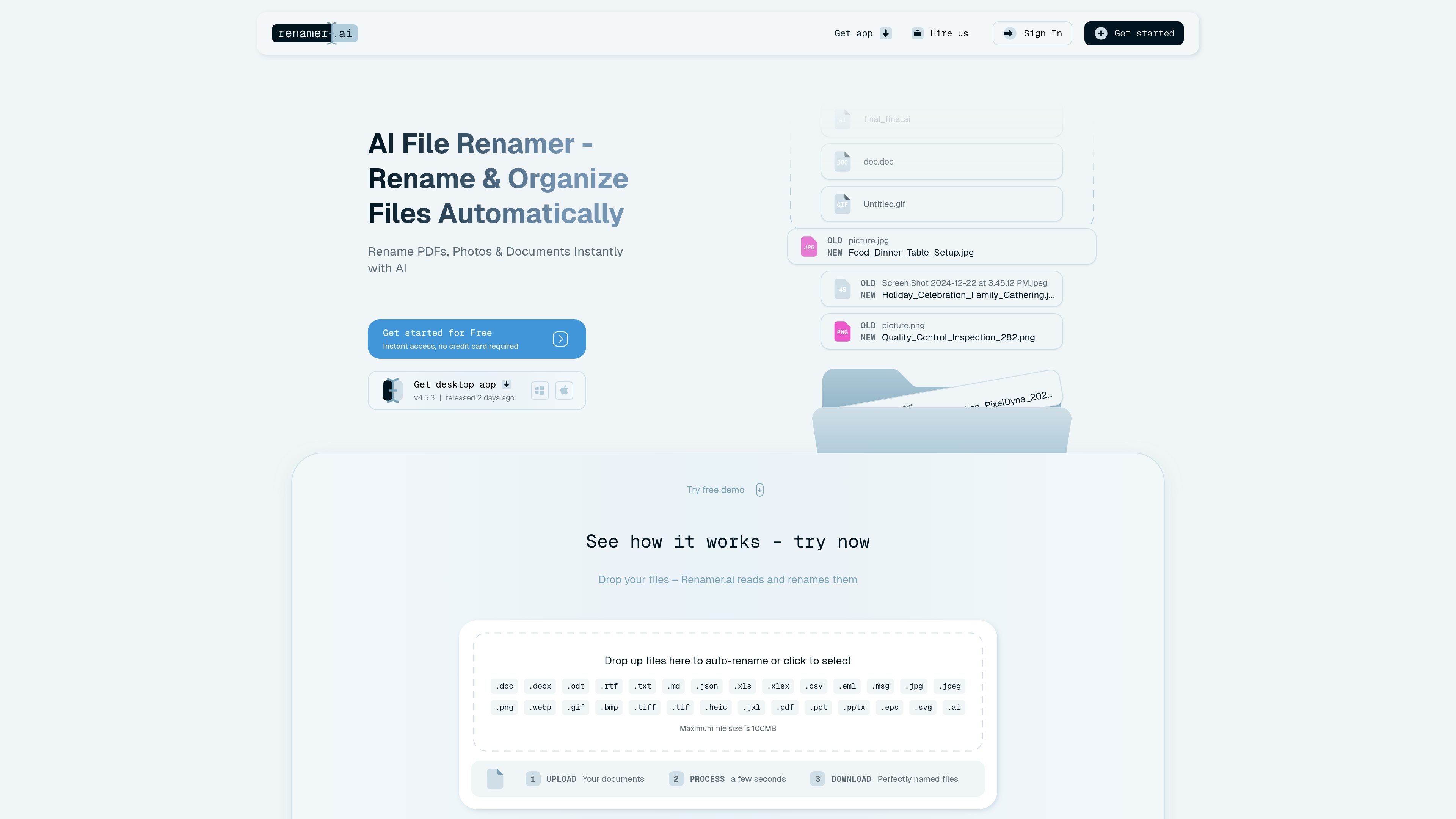
Renamer.ai is an AI file renamer that reads documents, PDFs, photos, images, and other supported files to suggest descriptive names based on content. The product is aimed at people who want to replace cryptic filenames with names that are easier to search, sort, and share.
The site presents two main workflows: a web flow for uploading files and downloading renamed versions, and a desktop app for local processing on Windows and Mac. It also includes batch renaming, renaming templates, and Magic Folders for background organization.
The product is framed as a file organization tool rather than a storage service. Uploaded files on the web are kept only temporarily for up to 24 hours, while desktop processing happens on the user’s device. The supported use cases shown on the site include invoices, contracts, tax documents, photos, and other mixed document libraries.
Upload files and let the app read their content before suggesting a descriptive name. The homepage positions this as the basic workflow for PDFs, photos, and documents.
Process multiple files at once using renaming templates, so the same naming structure can be applied across a batch instead of file by file.
Create Magic Folders that organize incoming files in the background, which supports hands-off cleanup for repeated workflows.
Preview and edit naming patterns before applying them, including live pattern previews and template editing controls from the changelog.
Use the desktop app on Windows and Mac, or work through the web flow that uploads files and returns renamed versions for download.
Keep files private with temporary web storage and local processing in the desktop app, where files are renamed on the device and not stored afterward.
Turn invoice and contract filenames into searchable labels that include content details, making it easier to find a record later without opening the file first.
Organize scanned forms, HR files, and tax documents into clearer filenames so compliance-related documents are easier to sort and retrieve.
Rename photos, images, and mixed project files in bulk when a folder contains many assets with generic camera or export names.
Use Magic Folders to process incoming files in the background when new downloads or repeated file drops need the same naming pattern every time.
Apply templates and batch renaming to large document sets that need a consistent naming convention across a team or department.
Renamer.ai uploads files, reads their content, and suggests descriptive filenames. On the web version, uploaded files are stored temporarily for up to 24 hours so you can download the renamed versions; files processed in the desktop app are renamed locally and are not stored after processing.
The source material shows a free Starter tier with 25 free renames per month and paid plans for higher monthly file limits. A pricing page URL exists, but the collected pricing page currently returns a not found page, so pricing details should be checked in-app or on the live site.
Yes. The site states support for PDFs, photos, images, documents, and 25+ file formats, and the changelog adds CSV and Outlook MSG support.
Yes. The homepage describes batch rename and Magic Folders for automatic background processing, and the changelog shows support for templates, folder organization, and moving files after processing.
The homepage and changelog show desktop app support for Windows and Mac. The web experience also offers file upload and download for renamed files.

GetESP analyzes CSV email lists to identify recipient ESPs and spam protection tools, helping segment lists and choose the right provider for better deliverability.

My QR Code is a web-based QR code generator for links, vCards, files and more, with design customization, export formats and scan tracking.

Dokkio is a cloud content organization and search platform for teams and individuals working across services like Google Drive, Dropbox, Gmail, Box, Slack, and OneDrive. It helps users search, tag, organize, and understand files, attachments, pages, and screenshots from one place.

讯飞写作 is an AI writing assistant for office, news, marketing and official content. Import audio, video, Word, images and PPT to draft faster.

Energent.ai is a no-code AI data analysis tool for files, documents, and links, with analysis, extraction, and exportable reports for business and finance.

Monkt converts documents to Markdown or structured JSON via REST API for file- and URL-based processing in AI workflows.