

TikTok-style voice generation
The tool converts typed text into speech using TikTok-style voices, including voices named on the site such as Jessie, Ghostface, C3PO, Siri, and Story Teller.

TikTok Voice Generator is a free web-based text-to-speech tool for creating TikTok-style voice audio from typed text, with 20+ languages, accents, play and download.
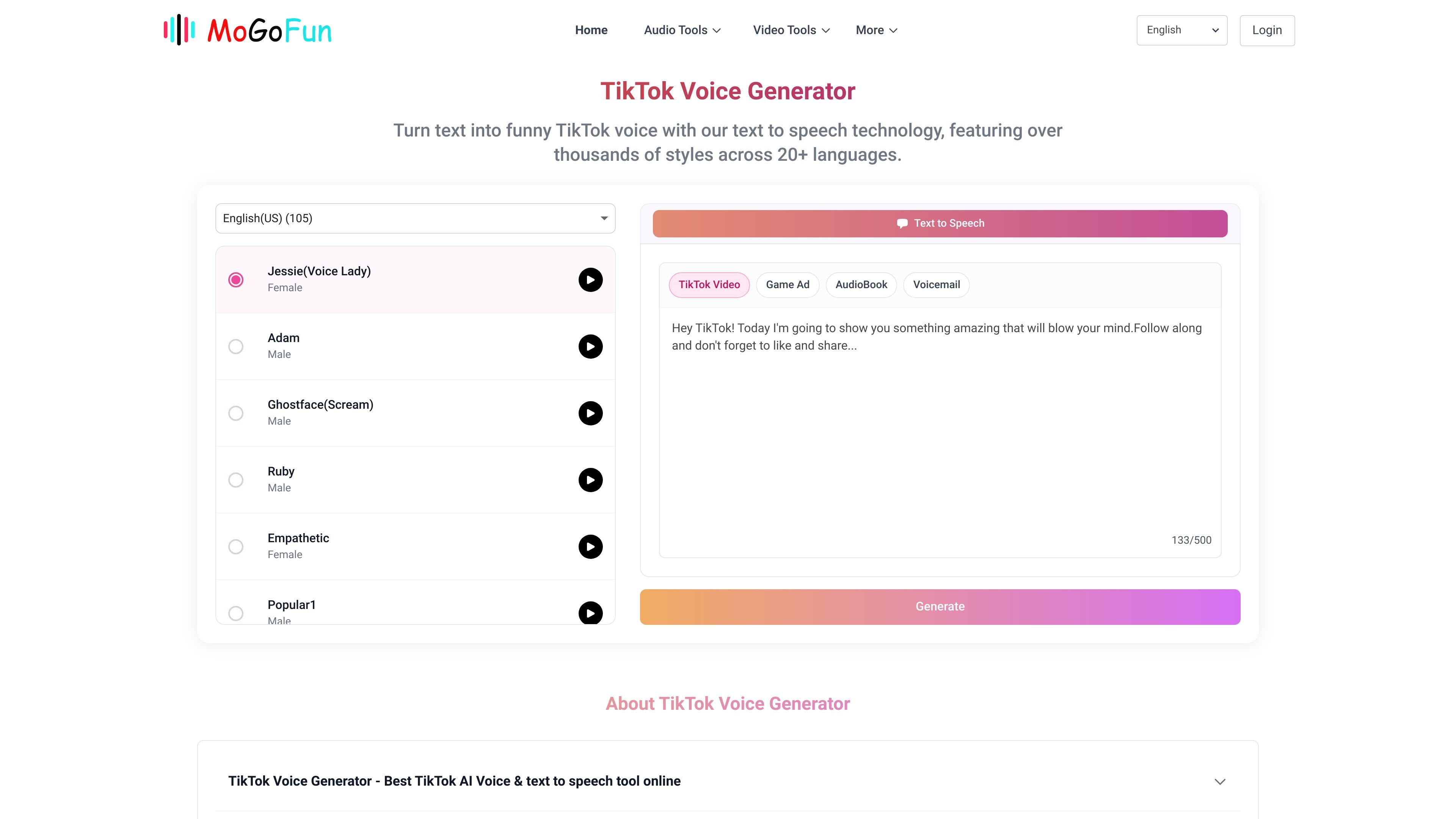
TikTok Voice Generator is a web-based text-to-speech tool that turns typed text into TikTok-style voice audio. The homepage describes it as a free tool built with text-to-speech technology and focused on generating recognizable voices used in TikTok videos.
The product interface exposes a wide set of voices and language/accent choices. The site shows 20+ languages and many voice presets, then walks users through a straightforward flow: choose a language and accent, enter text, generate audio, and either play it back or download the file.
The page also frames the output as useful for TikTok and other video-editing workflows. It explains how to move a generated audio file to a phone and add it to a TikTok edit, which suggests the tool is intended for creators who want quick voiceover generation without recording their own audio.
The tool converts typed text into speech using TikTok-style voices, including voices named on the site such as Jessie, Ghostface, C3PO, Siri, and Story Teller.
The homepage lists 20+ languages and multiple accents, including English variants, Japanese, Chinese, French, German, Spanish, Russian, Portuguese, Korean, Arabic, Italian, Dutch, and Polish.
The interface shows many voice options across categories such as male, female, character, narrator, and seasonal voices, giving users a large selection to choose from.
The site instructs users to type text, choose a language and accent, generate audio, then play or download the result.
The page says the generated audio can be transferred to a phone and added to a TikTok video during editing.
The homepage states that the service is free and is built on text-to-speech technology.
Generate voiceover audio for TikTok clips when you want a recognizable style without recording your own narration.
Create short spoken lines for social posts or memes using voices such as Ghostface, C3PO, Jessie, or Story Teller.
Prepare audio on a computer, then transfer it to a phone for use in mobile video editing workflows.
Use the text box and preset voices to draft spoken versions of announcements, scripts, or captions before final editing.
Select among multiple languages and accents when you need speech output in a non-English voice style.
Yes. The homepage describes it as a free text-to-speech tool.
It works in a browser on the product site, where you choose a language and accent, enter text, and generate audio.
The page says you can play the generated audio or download the file after it is created.
The site says it supports more than 20 languages and shows many accents and voices in the interface.
The homepage says you can use generated audio for TikTok videos and also transfer it to a phone for posting or editing.

MMaudio is an AI voice generation tool for turning videos into audio. Upload a video or paste a URL, use prompt controls, and choose free or paid credit-based plans.

魔音工坊 is an online text-to-speech and AI voiceover platform for short videos, audiobooks, and content creators, with script extraction and auto timing tools.

AI Jingle Maker is a browser-based tool for making branded audio jingles, DJ drops, podcast intros, and promos with text-to-audio, royalty-free sounds, and no subscription.

Voice Out is a text-to-speech browser extension that reads aloud Google Docs, PDFs, webpages, and books in multiple languages. It includes playback controls, keyboard shortcuts, and a free plan, with a Premium upgrade for additional voices and features.

Inpodcast AI is a browser-based AI podcast studio for turning documents, scripts, and text into podcast-style audio with voice cloning and text to speech.

Vocloner is a web-based AI voice cloning tool that lets users create a custom voice from an audio sample and generate speech with it. The site highlights multilingual output, inline emotion tags, and a free tier with usage limits.