

24/7 cloud streaming
Create a 24/7 live channel in the cloud by uploading videos and keeping playback running around the clock.

Upstream is cloud-based live streaming software for 24/7 channels, scheduled streams, browser live shows, and multistreaming—without OBS.
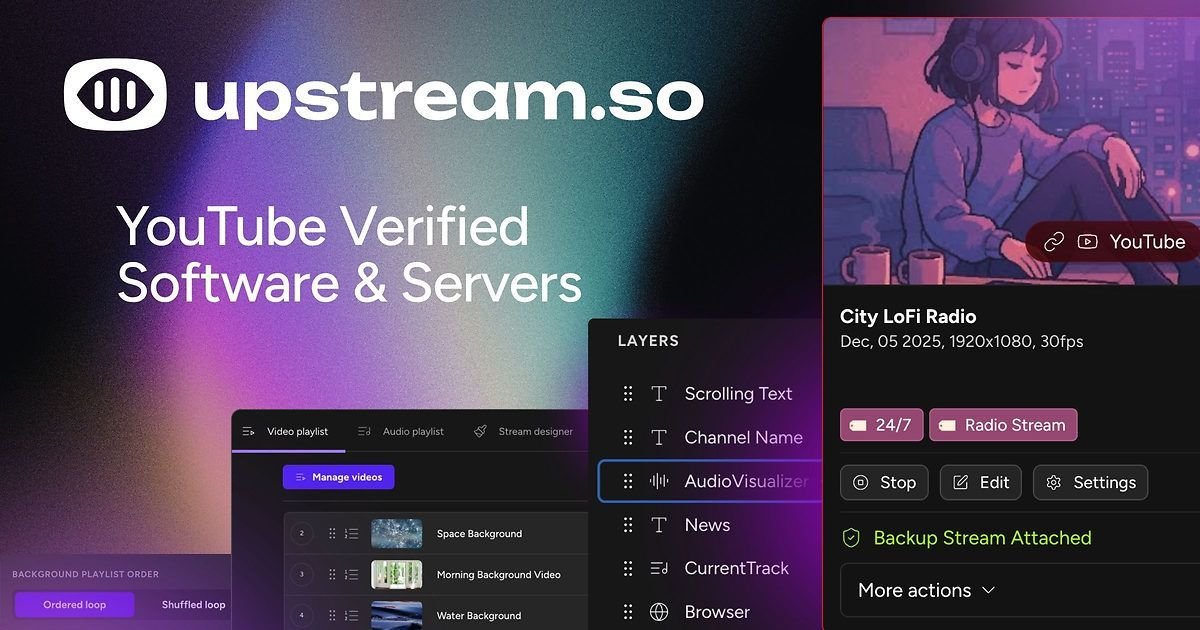
Upstream is cloud-based live streaming software for creators and teams that want to run 24/7 channels, schedule pre-recorded videos as live streams, host live shows in a browser, or multistream to several platforms from one feed. The product is positioned around removing the need for OBS or a powerful computer by handling streaming in the cloud.
The site highlights four main workflows: always-on 24/7 streaming, pre-recorded video live streaming, browser-based live studio, and multistreaming. It also supports stream recordings, branded overlays, live playback controls, separate audio and video playlists, and team access on paid plans.
Create a 24/7 live channel in the cloud by uploading videos and keeping playback running around the clock.
Schedule finished videos as live streams, arrange their order, and let Upstream handle cloud playback instead of using a local machine.
Use a browser-based live studio for podcasts, guest shows, interviews, screen sharing, scenes, and branded overlays.
Send one stream to multiple destinations at once, including YouTube, Twitch, Kick, Facebook, Rumble, and custom RTMP endpoints.
Use playlist rules and stream controls such as looping, shuffle, overlays, stings, jingles, and ad inserts to shape playback.
Set up recurring streams, manage multiple channels, and organize your content calendar from the same account.
Run an always-on channel from the cloud when you want a continuous stream without keeping a local computer online.
Turn finished video files into scheduled live broadcasts, using playlists, looping, shuffle, and overlays to control the presentation.
Host podcasts, interviews, webinars, and guest shows directly in the browser with screen sharing and scene management.
Send the same live feed to multiple platforms at once when you want to reach audiences on different networks without separate setups.
Use recurring streams, multiple channels, and content calendars to keep a regular broadcast schedule across an account.
Upstream is cloud-based live streaming software for multistreaming, 24/7 always-on channels, scheduling pre-recorded videos as live streams, and going live from a browser-based studio. It is designed to work without OBS or a powerful local computer.
The site states that Upstream can stream to YouTube, Twitch, Kick, Facebook, TikTok, Instagram, LinkedIn, Rumble, and custom RTMP destinations, with support for up to 10 destinations from a single feed.
Yes. The free plan includes 24 hours of streaming per month, one stream, and no credit card is required.
No. Upstream runs in the cloud, so you can stream from your browser or send one feed and let Upstream handle distribution instead of using OBS or a powerful computer.
The source shows free and paid plans. Paid streams are available monthly or annually, and pricing scales by stream count, resolution, and frame rate.

Codesphere is a virtual cloud platform for development, deployment and operations across on-prem, cloud and hybrid infrastructure, with portability and security.

AppVision is a boutique app studio for iOS and Android, offering design, development, and growth with weekly releases and data-driven iteration.
Intract is a cross-border payments platform for businesses, with real-time settlement, multi-currency support, compliance handling, and transparent rates.

Newfront is a business insurance brokerage and software platform for commercial insurance, employee benefits, and retirement services.

Fullstory is a digital experience platform that captures behavioral context, supports analytics and guidance workflows, and offers AI-assisted insights.

Trunk is a CI reliability platform for detecting flaky tests, quarantining failures, and managing merge queues in GitHub workflows. Free and paid plans available.