

GIF-to-photo face swap workflow
Upload a GIF as the source animation and a photo as the target face, then generate a face-swapped GIF in a few steps.

GIF Face Swap is a browser-based tool for swapping faces in GIFs. Free to use, no registration required.
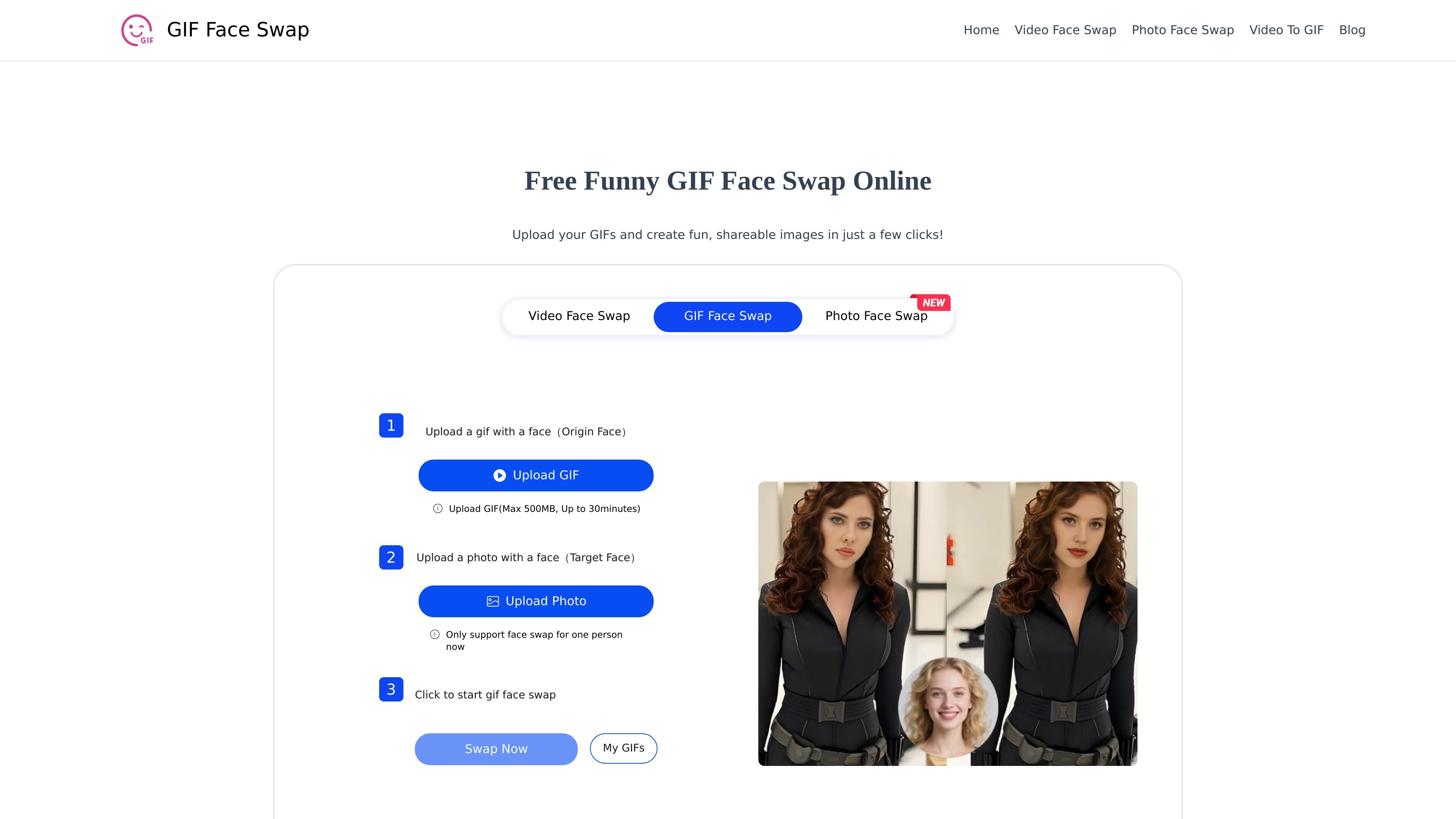
GIF Face Swap is an online face-swapping tool focused on animated GIFs. The main workflow lets users upload a GIF containing a face and a target face photo, then generate a swapped animation in the browser.
Across the site, the same brand also presents related tools for photo face swap, video face swap, and video-to-GIF conversion. The product is positioned as free to use, with no sign-up required on the main GIF face swap page.
Upload a GIF as the source animation and a photo as the target face, then generate a face-swapped GIF in a few steps.
The site says the tool works without registration or login, so users can start directly from the browser.
The product pages describe support for multiple media types across GIF, photo, video, and video-to-GIF workflows.
The GIF and video pages state upload limits of up to 500MB and up to 30 minutes for those inputs.
The site says outputs can be downloaded locally, with no watermark mentioned on the main GIF page.
The pages describe browser-based use on both PC and mobile devices, with privacy-focused processing language.
Create altered GIFs for posts, replies, or jokes when you want a face-swapped animation instead of a static image.
Make playful animated content for blogs or short-form clips where a face change adds humor or emphasis.
Prepare personalized invitation GIFs for parties, celebrations, or other events that benefit from motion and a custom face swap.
Use the photo and video face swap pages when the project starts from a still image or video instead of a GIF.
Convert video content to GIF and then work within the site’s GIF-focused editing flow when a GIF output is preferred.
Yes. The site says the GIF Face Swap tool is free to use and does not require registration or login.
The source says you upload a GIF with a face, upload a target face photo, then click the swap button and wait for generation.
The site says uploads can be up to 500MB and up to 30 minutes for GIF/video inputs on the relevant face-swap pages.
The site says the resulting GIF can be downloaded locally and shared on social platforms.
The site notes that output quality depends on the quality of the source GIF and image, and one page says the tool currently supports one person at a time for GIF swapping.

Upsampler is an AI platform for creating, editing and upscaling images and videos in one workspace. Pay per credit, full API access, commercial use included.

Rizzle turns articles into editorial-grade video and distributes it across major channels with AI-assisted, human-reviewed workflows for publishers.

Photoroom is an AI visual editing platform for e-commerce that removes backgrounds, creates product images, and prepares listings from phone, web app, or API workflows.

豆绘AI is an online AI image generation and editing platform for ecommerce and design, supporting white background, scene, interior rendering and post-processing.

AnyClip is a visual intelligence platform for video that automates enrichment, improves discovery, and supports engagement and monetization.

AI HomeDesign is a web-based photo editing toolbox for real estate listings, with AI staging, item removal, day-to-dusk rendering, enhancement, and renovation tools. It is built for agents and other listing workflows that need editable, listing-ready images quickly.